

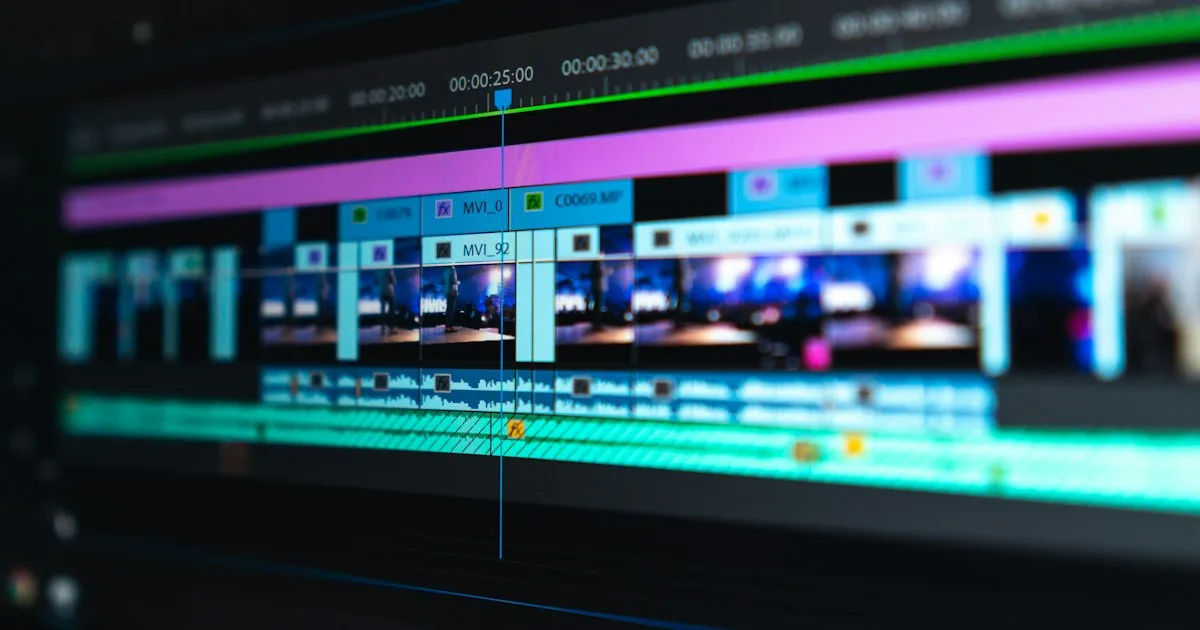
Blackmagic Design shipped DaVinci Resolve 21.1 at IBC 2026 with more than 100 new tools. The one that matters most to anyone following AI tooling is not a colour wheel or a trim mode. It is a native MCP server.
That single addition lets you point Claude, Claude Code or ChatGPT Codex at a video project and control it in plain language. Organise media, adjust settings, build a highlight cut from hours of footage, batch render the deliverables. Professional post-production software just became agent-controllable.
The catch is which edition you need, and it is worth knowing before you download anything.
In this guide:
- The MCP Server Is the Real Story
- What the AI Assistant Can Actually Do
- The Studio Edition Catch
- The Other AI Tools in 21.1
- What Else Shipped
- Why This Matters Beyond Video
- Who Should Update
- Frequently Asked Questions About DaVinci Resolve 21.1
- Verdict
- Sources and Further Reading

The MCP Server Is the Real Story
DaVinci Resolve 21.1 ships with a native Model Context Protocol server built in. You connect an AI assistant through a menu, and from that point the assistant can read and operate your project.
MCP is the open standard for giving AI assistants structured access to external tools, and our guide to MCP explained covers the mechanics. What is new here is the class of software adopting it. MCP servers for databases, file systems and developer tools are well established. A flagship creative application from a hardware company shipping one natively is a different signal.
Blackmagic is not a startup chasing an AI narrative. DaVinci Resolve is used on Hollywood features, and the company sells cameras and switchers rather than subscriptions. When that kind of vendor builds MCP into the product rather than releasing a plugin, the protocol has moved from developer tooling into mainstream professional software.
For anyone maintaining their own integrations, this is also a reference implementation worth looking at. Our guide to building your own MCP server covers the pattern, and the best MCP servers tracks what else is available.
What the AI Assistant Can Actually Do
The DaVinci Resolve 21.1 examples Blackmagic published are concrete rather than aspirational, which is a good sign:
Analyse projects. Ask what is in a timeline, where specific footage sits, how a project is structured.
Organise media. Sort and categorise a media pool by natural-language criteria instead of manual tagging.
Adjust settings. Change project configuration by describing the outcome rather than finding the panel.
Build highlight edits. Point the assistant at long-form footage and ask for the best moments assembled into a cut.
Remove unwanted clips. Describe what should go rather than selecting each one.
Batch render. Queue and execute delivery jobs conversationally.
The pattern across all six is the same: repetitive project management work rather than creative decisions. That is the honest framing, and it is also where the time actually goes on a long project.
Supported assistants in DaVinci Resolve 21.1 at launch are Claude, Claude Code and ChatGPT Codex. Our AI coding assistants guide covers what those tools are if the names are unfamiliar, since two of the three are developer tools being repurposed here.
The Studio Edition Catch
This is the part of the DaVinci Resolve 21.1 story most coverage glosses over.
DaVinci Resolve 21.1 is a free update, and DaVinci Resolve remains a free application. But Blackmagic’s own announcement language attaches the AI assistant integration specifically to DaVinci Resolve Studio 21.1, the paid edition at $295.
The same applies to some other 21.1 additions, including the individual MultiMaster trims on the colour page. Blackmagic has always split features this way: the free version is genuinely capable, and the AI and machine-learning features have historically lived in Studio.
If MCP control is the reason you are updating, budget for Studio. If you already own it, the update costs nothing. The free version still gets the format support and a large share of the hundred-plus tools.
Worth verifying against Blackmagic’s own feature comparison before buying, since the split can shift between point releases.
The Other AI Tools in 21.1
Beyond the assistant integration, several machine-learning features arrived or improved in DaVinci Resolve 21.1:
| Feature | What it does |
|---|---|
| IntelliTrack | ML object tracking that applies effects across a timeline |
| Magic Mask 2.0 | Improved edge detection for cleaner subject isolation |
| AI dialogue replacement | Automated lip-sync matching for replaced audio |
| AI noise reduction | Fairlight page audio cleanup |
| Room tone matching | Matches ambience across clips recorded separately |
| AI music editor | Retains more of the original track, avoids repetition |
Of everything in DaVinci Resolve 21.1, Magic Mask 2.0 is the one working editors will notice most. Edge detection on hair and motion blur has been the weak point of every automated rotoscoping tool, and incremental improvement there saves real hours.
What Else Shipped
The rest of DaVinci Resolve 21.1 is substantial outside the AI additions, which is worth noting because the AI headline is doing a lot of publicity work for a release that would have been significant anyway.
Camera format support. The DaVinci Resolve 21.1 Photo page now handles Fujifilm GFX and X Series, Leica SL-System and additional Sony Alpha models natively, removing a conversion step before import.
Fusion. More than 25 new Krokodove shape and 3D tools, plus updated macro controls.
Editing. Enhanced multicam controls, an updated trim editor, new Cut page trim modes and an improved source tape workflow.
Subtitles. A redesigned subtitle editor with additional caption format support.
Collaboration. Blackmagic Cloud Presentations gained subtitle support, annotation sharing and comment replies.
Media management. New project archive and media management options, and editable text and checkbox fields in media pool list view.
Why This Matters Beyond Video
If you do not edit video, DaVinci Resolve 21.1 still tells you something useful about where agentic tooling is going. On the generation side of video, see our Google Flow agent prompt rules for how Google’s agent approaches the same idea.
The pattern to watch is MCP appearing natively in applications that are not developer tools. A creative suite adopting the protocol means the same assistant you use for code can operate your editing software, and in principle any other application that ships a server. The integration surface stops being per-app plugins and becomes one protocol.
That has a security dimension worth stating. An assistant with MCP access to a project can modify and delete work, not just describe it. The reasoning in our guide to prompt injection and AI agent security applies directly: an agent operating real software with real permissions has a real blast radius, and “batch render the deliverables” and “delete the unwanted clips” are separated by a single misread instruction.
Back up projects before pointing an assistant at them. That is not a criticism of the implementation, it is basic hygiene for any agentic tooling.
Setting Up the MCP Connection
The practical steps, based on Blackmagic’s published description rather than a walkthrough we performed.
Connection happens through a menu inside DaVinci Resolve 21.1 rather than through config files, which is a meaningfully lower barrier than most MCP setups. You point it at an assistant, approve the connection, and the assistant gains structured access to the project.
Three things worth thinking about before you do it.
Scope of access. An MCP server exposes a defined set of capabilities. Read the list of what DaVinci Resolve 21.1 actually exposes rather than assuming it is read-only. Anything that can batch render can almost certainly also delete.
Which assistant. Claude Code and ChatGPT Codex are terminal-oriented developer tools, and using them to drive a colour grading suite is a slightly odd fit. Claude in its standard interface is the more natural choice for conversational project work.
Project state. Connect to a project you have backed up. This is the first release of this integration in DaVinci Resolve 21.1, and first releases of anything that can modify your work deserve caution rather than trust.
How It Compares to Existing Automation
DaVinci Resolve has had automation routes for years, and the MCP server does not replace them.
Fusion and Resolve scripting. Python and Lua APIs have existed for a long time and remain the right tool for anything deterministic. A script does the same thing every time; a natural-language instruction does approximately the same thing most times. For a render farm or a repeatable delivery pipeline, scripting still wins.
Workflow integrations. Tools like n8n can already orchestrate around Resolve through its API. That remains useful for connecting Resolve to everything else in a pipeline rather than for operating it directly.
The new route. What DaVinci Resolve 21.1 adds is conversational one-off work: the tasks too small to justify writing a script and too tedious to do by hand. Sorting a messy media pool, pulling selects from three hours of footage, checking what is actually in a timeline you inherited.
Those are different jobs. Teams with existing scripting will likely keep it and add the assistant for the long tail.
Who Should Update
| If you are | Do this | Why |
|---|---|---|
| A Studio owner editing regularly | Update now | Free, and the assistant integration is the headline |
| On the free version, want MCP control | Budget for Studio at $295 | AI assistant is attached to the paid edition |
| Shooting Fujifilm, Leica or newer Sony | Update regardless | Native format support removes a conversion step |
| Following MCP adoption | Worth reading the release notes | A reference implementation in non-developer software |
| Mid-project on a deadline | Wait | Point releases and active timelines are a poor mix |
Frequently Asked Questions About DaVinci Resolve 21.1
Is DaVinci Resolve 21.1 free?
The DaVinci Resolve 21.1 update is free and the base application remains free. The AI assistant integration is attached to DaVinci Resolve Studio, the $295 paid edition, so the feature that makes this release notable is not in the free version.
Which AI assistants work with DaVinci Resolve 21.1?
Claude, Claude Code and ChatGPT Codex are named at launch. Because the integration is a standard MCP server rather than a bespoke plugin, other MCP-capable clients would be expected to work, though only those three are officially listed.
What is an MCP server doing in video editing software?
MCP is an open standard for giving AI assistants structured access to an application’s capabilities. Building one into Resolve means an assistant can operate the software directly rather than through screen control or scripting.
Can the AI assistant edit for me?
It can assemble highlight cuts, remove clips and organise media, which is real editing work. The published examples all point at repetitive project management rather than creative judgment, and that is the sensible expectation to hold.
Does this replace Fusion scripting?
No. Scripting remains the route for deterministic, repeatable automation. Natural-language control is faster for one-off tasks and less predictable for anything you need to run identically every time.
Should I update to DaVinci Resolve 21.1 mid-project?
No. Finish the project on the version you started it on. This is generic post-production advice and it applies to any point release, however appealing the feature list.
Verdict
DaVinci Resolve 21.1 is a significant release even ignoring the AI, with camera format support and over a hundred tools that would have carried the announcement on their own. But the native MCP server is the part worth paying attention to, because it marks the protocol crossing from developer tooling into mainstream professional creative software. Blackmagic is a conservative hardware company, not an AI startup, and that makes the adoption more meaningful rather than less.
The honest DaVinci Resolve 21.1 caveat is the edition split. The AI assistant integration is attached to Studio at $295, not the free version, and a fair amount of coverage has reported “free update with AI assistant” without separating those two facts. If MCP control is why you are updating, check the feature comparison before assuming you get it.
Concrete next step: if you own Studio, update and connect an assistant to a finished, backed-up project rather than a live one. Ask it to summarise the timeline first. That tells you how well it reads your project structure before you let it change anything.
Sources and Further Reading
- Blackmagic Design DaVinci Resolve — official product page, downloads and the free-versus-Studio feature comparison
- Newsshooter on the 21.1 release — detailed feature list including the native MCP server
- CG Channel release coverage, the MCP server and Fusion additions from a VFX perspective
- Sports Video Group from IBC 2026, IntelliTrack, Magic Mask 2.0 and the Fairlight AI tools
- Digital Cinema Society announcement, Blackmagic’s own framing including the Studio edition wording
For related coverage on this site, see MCP explained for what the protocol actually is, the best MCP servers for what else you can connect, AI coding assistants for the tools now driving Resolve, and AI video generators for the generative side of video work.
[…] DaVinci Resolve 21.1 now ships an MCP server that lets Claude Code and Codex drive a video edit, and GLM-5.3-Flash is […]
[…] a current example of MCP arriving in non-developer software, see our coverage of DaVinci Resolve 21.1, which ships a native MCP server for Claude and […]