

Table of Contents
- Get the 16GB Variant
- What It Actually Runs
- How Much Slower, Honestly
- Against the Alternatives
- Who This Card Is For
- Building Around It
- What a Budget Card Gets You
- The Quantisation Lever
- The Used Market Alternative
- What Paying Up Buys
- Will It Last Two Years?
- Pros and Cons
- Getting It Running
- Is It Worth Buying At All?
- Where to Buy
- Frequently Asked Questions
- Verdict
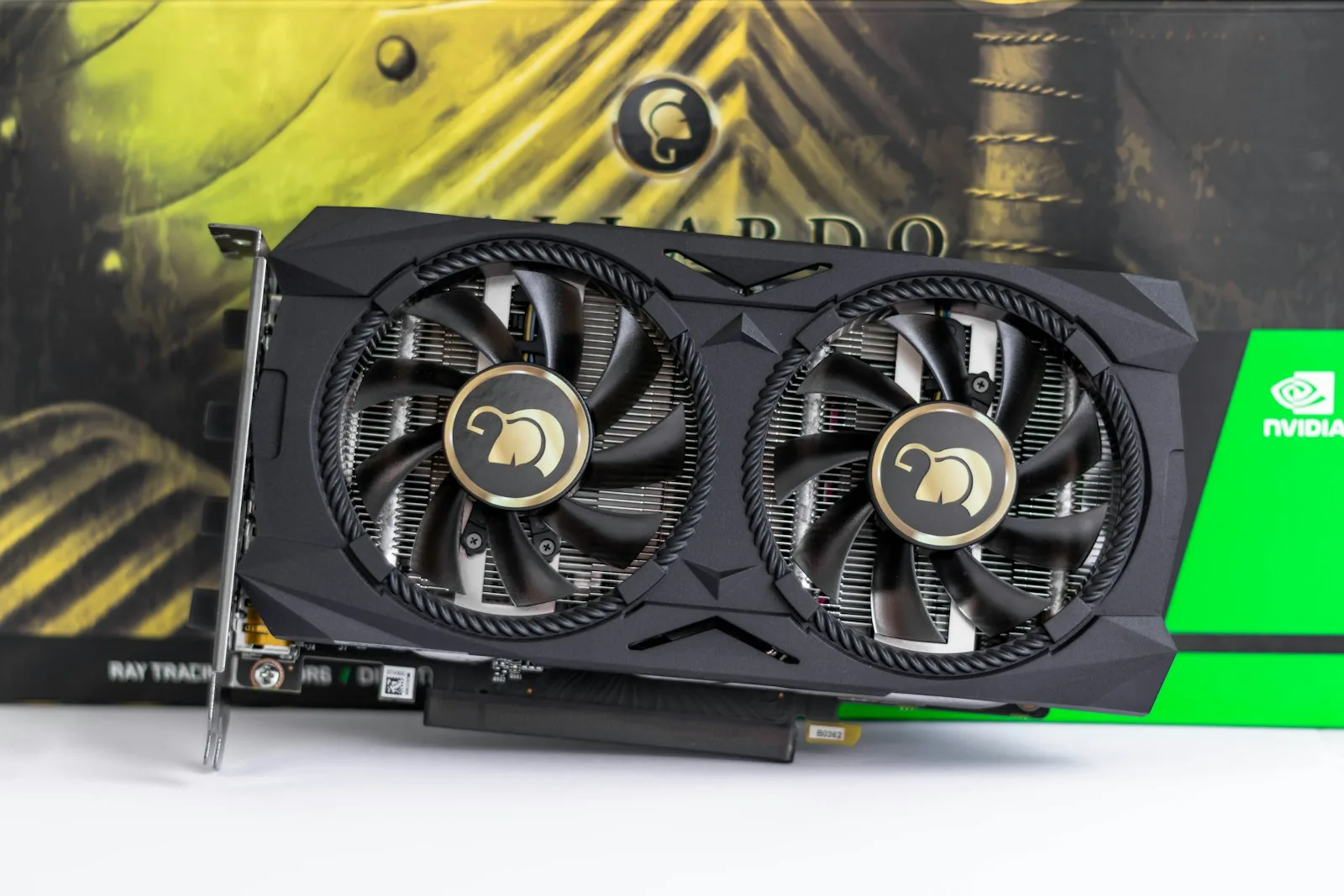
There is one graphics card in the current lineup that changes the local AI conversation for people on a budget, and it comes with a trap in the product name.
The RTX 5060 Ti ships in two memory configurations. For AI work they are not the same product, and the difference is the entire reason to consider it.
Get the 16GB Variant. This Matters More Than Anything Else.
The 8GB and 16GB versions share a name, an architecture and most of their specifications. For gaming the gap is modest. For local AI it is the difference between running useful models and not.
8GB restricts you to small models with cramped context. 16GB runs the same mid-size models as cards costing considerably more. Same silicon, entirely different capability, and retail listings do not always make the distinction obvious.
If you take one thing from this guide: check the memory figure on the specific listing before you buy. This is the most common expensive mistake in budget AI builds.
What the RTX 5060 Ti 16GB Actually Runs
Mid-size quantised language models up to roughly 14B parameters at 4-bit, with room for meaningful context. Image generation at full resolution without the compromises 8GB forces. Embedding models for retrieval work comfortably alongside.
What it does not run is 70B, which needs roughly 40GB for weights alone. No 16GB card does, at any price — our GPU guide by VRAM tier covers where those thresholds sit.
The important comparison is not against flagships. It is against the RTX 5080, which has the same 16GB and therefore runs the same models. You are not buying less capability. You are buying the same capability more slowly.
How Much Slower, Honestly
Noticeably. Inference is memory-bound, and this card has less bandwidth than the tier above it. Tokens arrive at a lower rate.
Whether that matters depends entirely on how you work.
For interactive use, chatting, coding assistance, anything where you sit waiting, the difference is felt. A response that takes noticeably longer breaks concentration in a way benchmark charts do not convey.
For batch work — classifying records, processing documents overnight, bulk extraction. It barely matters. The job takes longer and you are not watching.
Be honest with yourself about which describes your intended use. It is the whole decision.
Against the Obvious Alternatives
| RTX 5060 Ti 8GB | RTX 5060 Ti 16GB | RTX 5080 | |
|---|---|---|---|
| Memory | 8GB | 16GB | 16GB |
| Models at Q4 | Small only, tight context | Up to ~14B | Up to ~14B |
| Relative speed | Similar | Similar | Faster |
| Image generation | Compromised | Comfortable | Comfortable |
| Verdict for AI | Avoid | Best value | Best balance |
Read that table twice. The 8GB card of the same name is the one to avoid, and the more expensive card runs identical models.
Who the RTX 5060 Ti Is For
Buy it if budget is the binding constraint and you want real local AI capability rather than a card that technically loads a model. Also if your work is mostly batch rather than interactive, where the speed penalty costs you nothing.
Buy the RTX 5080 instead if you sit waiting for responses regularly, or the machine doubles as your gaming rig and you care about frame rates.
Buy nothing if you use models a few times a day. Hosted inference is better value at low volume than any graphics card.
Building Around the RTX 5060 Ti
The RTX 5060 Ti is the cheap part of a budget AI build, which is where people go wrong.
Do not skimp on the power supply. Inference holds a card at sustained load in a way gaming does not. A marginal unit that games fine will destabilise. This is the most common failure in first AI builds.
32GB system RAM minimum. Models load through it, and partial offloading needs headroom.
Airflow over aesthetics. Sustained load means sustained heat. Thermal throttling shows up as declining token speed over a long job.
Save on the CPU. Inference runs on the GPU. A mid-range processor is genuinely sufficient and the money is better placed elsewhere.
What a Budget Card Actually Gets You
Abstract capability is hard to judge. These are the things people do with an RTX 5060 Ti 16GB, and how each feels in practice.
A private document assistant. Point a mid-size model at your own files and ask questions over them. This is where budget local hardware genuinely shines, because the alternative, uploading confidential material to an API, is not available to everyone. Our guide to retrieval-augmented generation covers the pipeline, and this card handles both the embeddings and the generation.
Bulk classification. Thousands of records through a 7B model, running overnight. The speed penalty is irrelevant because nobody is watching, and the cost is electricity rather than a per-token bill that compounds.
Image generation. Comfortable at full resolution, which is the clearest upgrade over 8GB. This alone justifies the 16GB variant for a lot of buyers.
Code assistance. Workable with a 7B model. Slower than you would like if you are used to a hosted assistant, and genuinely useful when working on material that cannot leave your machine.
What frustrates people is interactive chat where you sit waiting. That is the one workflow where the money saved feels expensive, every single day.
The Quantisation Lever
The most useful thing to understand on a 16GB budget, because it changes what fits without spending anything.
Quantisation compresses model weights. At 4-bit, a model needs roughly half its parameter count in gigabytes, so a 14B model is around 7GB of weights, leaving comfortable room for context. At 8-bit that doubles and things get tight quickly.
The practical rule: a larger model at 4-bit beats a smaller model at 8-bit at the same memory footprint. Quality loss from 4-bit is modest; the capability gain from more parameters is not. Going below 4-bit degrades noticeably and is rarely worth it.
This also means the RTX 5060 Ti ages better than its price suggests. Quantisation methods keep improving, so the models that fit in 16GB keep getting more capable while your hardware sits unchanged.
The Used Market Alternative
Worth weighing seriously at this budget, because it is where the value case gets genuinely interesting.
Previous-generation cards with 24GB of memory sometimes sell for similar money to a new RTX 5060 Ti 16GB. For local AI that extra 8GB is meaningful. It moves you from roughly 14B models to comfortably larger ones, which is a real capability step rather than a speed one.
The trade-offs are genuine though. No warranty. Unknown prior use, and cards from mining or heavy compute workloads have had a hard life. Older architectures may lack support for newer quantisation formats, so check that your intended runner actually supports the card before buying on capacity alone.
The honest framing: if you are technically confident and can verify the card, used 24GB is often the better buy. If you want something that simply works with a warranty behind it, new 16GB is the lower-stress choice.
What Paying Up Actually Buys
Since the RTX 5080 runs identical models, it is worth being precise about what the extra money gets you.
Speed, and only speed. Higher memory bandwidth means tokens arrive faster. Same models, same context, same capabilities, just less waiting.
Better gaming, if that matters. If this is your only machine and you play games seriously, the gap is real and the AI capability comes along for free.
Nothing else. Not more models, not longer context, not better output quality. The 16GB ceiling is identical.
That clarity should make the decision straightforward. If waiting bothers you, pay up. If it does not, the RTX 5060 Ti 16GB does the same job and leaves budget for a better power supply, more system RAM, or simply money not spent.
Will It Still Be Enough in Two Years?
Two forces pull in opposite directions here.
Model sizes keep growing, which pushes toward more memory. But quantisation and architecture efficiency keep improving, which means a fixed 16GB keeps running better models over time without any hardware change.
On balance, 16GB looks durable for mid-size local work across a two-year horizon. What will eventually force an upgrade is not speed. It is the memory ceiling, if your needs move toward larger models.
Which is worth weighing at purchase. For this workload, capacity ages considerably better than compute, and the RTX 5060 Ti 16GB is a capacity buy at a compute-tier price. That is the whole argument for it.
RTX 5060 Ti Pros and Cons
Strong points. The cheapest route to genuinely capable local AI. 16GB runs the models most people actually use. Modest power draw and heat compared to flagships. Leaves budget for the rest of the build, which matters more than people think.
Weak points. Noticeably slower than the tier above on identical models. The 8GB variant sharing its name is a real purchasing hazard. 16GB is a hard ceiling. And at low usage volumes an API subscription is simply better value.
Getting It Running
An afternoon, and the order matters more than the software choice.
Verify the memory first. Before anything else, check that the card reports 16GB. If a listing was ambiguous and you received the 8GB version, you want to know before the return window closes rather than after a week of frustration.
Install a runner. Ollama takes minutes and handles GPU detection for you. LM Studio is the friendlier option if you would rather avoid a terminal. Either is fine.
Start with one model at 4-bit. Something mid-size and well supported. Use it for real work for a week before downloading anything else, collecting models teaches you nothing and fills a disk.
Watch memory during a real job. Run something representative and observe actual usage. Context length is the setting most people get wrong first, and on a 16GB card the headroom is tight enough that it matters.
Is It Worth Buying At All?
Worth asking honestly, even in a guide recommending it.
Hosted inference at the budget tier costs very little per million tokens. An RTX 5060 Ti costs the equivalent of an enormous number of tokens. If you run a model a few times a day, the card will not pay back in its useful life.
Three things make local worthwhile, and none of them are cost per token. Volume, repetitive bulk work where a metered bill compounds daily. Privacy, data that provably never leaves the machine, which is a technical property rather than a policy promise. Permanence, nothing gets deprecated or repriced underneath you.
If none of those describe your situation, buy an API subscription instead and revisit in a year. That is an unusual conclusion for a hardware guide, and it is true for a good share of people reading one.
Where to Buy
Check the memory figure on the exact listing before buying. The 8GB version shares the name.
| Product | Best for | Link |
|---|---|---|
| RTX 5060 Ti 16GB | The variant this guide recommends | Check price |
| RTX 5080 | Same models, faster | Check price |
| 650W+ PSU | Sized for sustained load | Check price |
| 32GB DDR5 kit | Minimum sensible system RAM | Check price |
Pricing and stock in this category move weekly. Check current listings rather than any figure quoted in an article, including this one.
Frequently Asked Questions
Is the RTX 5060 Ti good for AI?
The 16GB version is very good value for local AI. The 8GB version is not worth buying for this purpose.
What is the difference between the 8GB and 16GB versions?
For AI, it is the whole thing. 16GB runs mid-size models comfortably; 8GB restricts you to small models with limited context.
Can it run a 70B model?
No. That needs around 40GB for weights alone. No 16GB card can, regardless of speed.
Is it fast enough for interactive use?
Usable, but noticeably slower than the RTX 5080 on the same models. If you sit waiting for responses, the faster card is worth the premium.
What should I pair it with?
A quality power supply with headroom, 32GB of system RAM, and a case with real airflow. Do not over-spend on the CPU.
Will 16GB still be enough in two years?
Probably, for mid-size work. Quantisation keeps improving, so the models that fit in 16GB keep getting better without new hardware.
RTX 5060 Ti Verdict
The RTX 5060 Ti 16GB is the best value entry point into local AI, and the qualifier in that sentence is doing all the work.
Buy the 16GB variant and you get a card that runs the same models as options costing substantially more, just less quickly. Buy the 8GB one by accident and you have spent money on something that will frustrate you within a week.
For budget-conscious batch work it is the obvious choice. For interactive daily use, spending up to the RTX 5080 buys responsiveness that you will notice every single day.


