

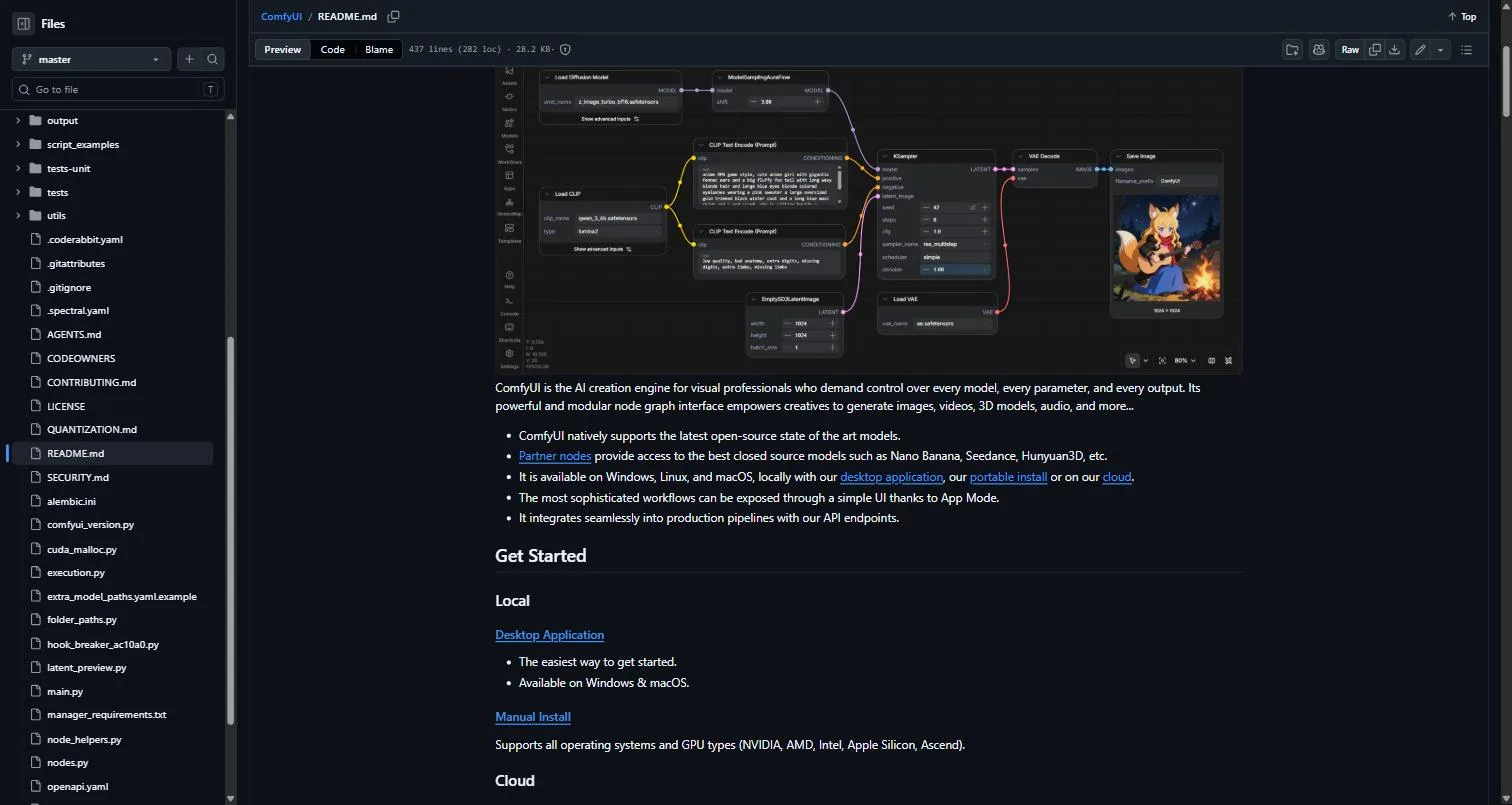
If you last used ComfyUI a year ago and opened it today, the first thing you would notice is that the desktop app has a different name. The second is that it no longer breaks when you install a custom node.
The June 2026 overhaul turned Comfy Desktop from a launcher into an environment manager. Multiple isolated installs side by side, snapshots before risky changes, shared model storage. That addresses the single most common way people lose a working ComfyUI setup.
There is one catch in that feature list, and it is the kind you only find by testing rather than reading the documentation.
In this guide:
- What Changed in June 2026
- The Snapshot Catch
- AMD ROCm on Windows
- Performance: NVFP4 and int8
- New Model Support Worth Knowing
- Comfy Desktop vs Portable vs Pinokio
- Do You Need to Update?
- Frequently Asked Questions About ComfyUI
- Verdict
- Sources and Further Reading

What Changed in June 2026
ComfyUI is the node-based interface for diffusion models, released on GitHub in January 2023 by the developer known as comfyanonymous, with Comfy Org formed in mid-2024 after the creator’s involvement with Stability AI ended.
The desktop application was rebuilt and rolled out between 4 and 8 June 2026, renamed from “ComfyUI Desktop” to simply Comfy Desktop. Version 0.9.4, bundled with ComfyUI v0.22.3 and released 28 May 2026, was the last build of the old design.
Four changes matter:
Multiple installs side by side. Run as many independent ComfyUI setups as you like, each with its own version, models and custom nodes, and switch between them without conflicts. This is the headline feature and it solves a real problem: one experimental custom node no longer risks the install you actually depend on.
Isolated, GPU-ready environments. Each install ships a relocatable Python with PyTorch and GPU wheels prebuilt. The project’s own framing is blunt about why, describing it as avoiding pip failures and CUDA roulette at install time.
Snapshots. Capture an install’s state before making risky changes, and roll back if something breaks.
One-click updates. Update ComfyUI and its custom nodes in place, per install.
The app is an Electron, Vue 3 and TypeScript project, and ComfyUI Manager is bundled so you can install nodes from the registry without leaving it.
The Snapshot Catch
This is the detail worth knowing before you rely on the feature, and it comes from someone testing the actual build rather than reading the docs.
Comfy Desktop distinguishes between Standalone instances and Track instances. Official documentation stated that snapshots were supported on both. On a real machine running v1.0.18, the Snapshot tab that exists for Standalone instances did not exist for Track instances.
The documentation was later amended to state that snapshots are Standalone-only, but the gap is instructive. If you set up a Track instance expecting rollback protection, you do not have it.
There is a second wrinkle. ComfyUI Manager also has a snapshot feature, marked experimental and requiring manual capture. It writes JSON like Comfy Desktop does, but the two formats are not compatible. Two snapshot systems, neither aware of the other.
The practical guidance: use Standalone instances if rollback matters to you, verify the Snapshot tab actually appears before you trust it, and do not assume a Manager snapshot will restore in Comfy Desktop.
AMD ROCm on Windows
Official ROCm support on Windows arrived in 2026, and for part of this site’s audience it is the most consequential change on the list.
Until recently, running ComfyUI on AMD hardware meant Linux, or Windows with workarounds and reduced performance. Official Windows support removes that. It matters particularly for anyone running the Strix Halo machines covered in our Framework Desktop and GMKtec EVO-X2 reviews, since those boxes pair large unified memory with AMD graphics and can now run image and video workflows without a Linux dual-boot.
The caveat from those reviews still applies: ROCm works, and it is not as frictionless as CUDA. Expect more troubleshooting than an NVIDIA user would face, and a longer wait when a new node assumes CUDA.
Performance: NVFP4 and int8
Two quantisation additions changed what runs acceptably on which hardware.
NVFP4 delivers the largest gains on NVIDIA cards, and the benefit is most visible on video workflows where memory pressure is highest. Paired with async offload, it meaningfully extends what a given card can handle.
int8 model support is the more interesting one socially, because it specifically benefits older Turing-generation cards. An RTX 2060 that was becoming unusable for current models gets a genuine extension. That is unusual in a field where the normal answer to a performance problem is buying a newer card.
If you are sizing hardware around this, our guide to how much VRAM you need for local AI covers the arithmetic, and the RTX 5070 Ti review covers where the current mid-range lands for diffusion work specifically.
New Model Support Worth Knowing
ComfyUI ships releases every two to four weeks, so any list dates quickly. The additions that changed workflows in 2026:
| Addition | What it enables |
|---|---|
| Krea2 | Current-generation image model support |
| LTX2 and LTX-2.5 | Open-weight video, native integration from launch |
| SUPIR | Enhanced super-resolution upscaling |
| RIFE and FILM | Frame interpolation for smoother video |
| SAM 3.1 | Improved segmentation accuracy |
| LTX audio VAE | Standalone audio VAE support |
The LTX integration is the pattern worth noting. When LTX released LTX-2.5 as an open-weight video world model in August 2026, native ComfyUI integration shipped alongside it rather than months later. Model releases increasingly treat ComfyUI support as a launch requirement rather than a community afterthought.
For the wider video generation field, our AI video generators guide covers how open-weight options compare to hosted tools like Runway and Google Flow.
Comfy Desktop vs Portable vs Pinokio
Three ways to run ComfyUI, and they suit different people.
Comfy Desktop. The official route and now the recommended one. Multi-instance, snapshots, managed environments, bundled Manager. This is what most people should use.
Portable build. A standalone Windows package supporting NVIDIA 20-series and above, currently shipping Python 3.13 and PyTorch CUDA 13.0. The project’s own README says it is not recommended for regular users, which is worth taking at face value. It exists for people who want direct control of the install.
Pinokio. A general-purpose AI app launcher that installs ComfyUI among many other tools. Covered in our Pinokio review. Reasonable if you want one launcher for everything, though Comfy Desktop’s ComfyUI-specific features like per-instance snapshots are more capable for this one application.
The honest summary: use Comfy Desktop unless you have a specific reason not to. The environment isolation alone is worth it, and it is the difference between a broken custom node costing you five minutes and costing you an afternoon.
Do You Need to Update?
Not urgently, and this is the rare case where the project’s own community says so directly.
If your existing workflows run without errors and you do not need the new models or performance features, staying put is defensible. ComfyUI ships constantly, and chasing every release is how installs break.
The reasons to update are specific:
- You want a model that requires it, like Krea2 or LTX2
- You are on AMD and want official Windows ROCm support
- You have an older NVIDIA card that would benefit from int8
- You downloaded a workflow that fails on your version
- You want multi-instance isolation so future updates stop being risky
That last one is the strongest argument. Updating once to get environment isolation means every subsequent update is lower risk, which is a better position than staying on a version that works because you are afraid to touch it.
Custom Nodes and the Registry
The custom node ecosystem is what makes this tool capable and what historically made it fragile, so the 2026 changes there matter.
The node registry has matured, with better discoverability and proper versioning. That second point is the important one. Pinning a node to a known-good version rather than always pulling the latest is how you stop an upstream change breaking a workflow you depend on.
Combined with per-instance isolation, this changes the risk calculation for trying something new. Previously, installing an experimental node meant gambling your entire setup. Now the honest advice is: create a fresh instance, install whatever you want into it, and if it breaks, delete the instance.
Two habits worth adopting.
Snapshot before installing anything unfamiliar, on a Standalone instance where snapshots actually work. It costs seconds and it is the only clean undo available.
Keep a boring instance. One install with only nodes you trust, pinned versions, no experiments. That is the one you use when something needs to work rather than when you are exploring.
Managing Models Across Instances
One consequence of multi-instance worth planning for: model storage.
Running several ComfyUI installs side by side means several sets of custom nodes, several Python environments, and potentially several copies of the same multi-gigabyte checkpoints. Comfy Desktop supports shared model storage precisely because duplicating a model library across four instances is untenable.
Set that up before you create your second instance rather than after. Retrofitting shared storage once you already have duplicates means reorganising a directory tree that four installs are pointed at.
The broader disk problem is the same one covered in our storage for local AI guide: model libraries grow through duplication far faster than through adding genuinely new capability, and checkpoints for image and video work are larger than most language models people run locally.
Where It Fits Against Other Local Tools
Worth placing this alongside the rest of a local AI setup, because people often assume these tools compete when they mostly do not.
Against Ollama and LM Studio. Different jobs entirely. Those run language models; this runs diffusion pipelines for images and video. Most people doing serious local work run both, and our best local LLMs guide covers the text side.
Against hosted generation tools. The trade is control and cost against convenience. A hosted tool gives you a prompt box and a bill; a node graph gives you every intermediate step and a hardware requirement. Neither is universally correct.
Against simpler diffusion front-ends. If your workflow is prompt in, image out, the node graph is overhead. Its advantage appears when you need multi-stage pipelines, custom conditioning, or reproducible workflows you can share as a file.
Frequently Asked Questions About ComfyUI
Is ComfyUI free?
Yes, it is open source and free to run locally. Comfy Org has commercial offerings around it, but the node-based application and desktop app cost nothing.
What is the difference between ComfyUI Desktop and Comfy Desktop?
They are the same application. “ComfyUI Desktop” was the name before June 2026; Comfy Desktop is the name after the multi-instance and snapshot overhaul. Tutorials referencing the old name predate that change.
Do snapshots work on every install type?
No. Snapshots work on Standalone instances. Testing on v1.0.18 found the Snapshot tab absent for Track instances despite documentation that initially said otherwise. Verify before relying on it.
Can I run ComfyUI on an AMD GPU?
Yes. Official ROCm support on Windows arrived in 2026, and Linux support predates it. Expect more friction than CUDA, particularly with custom nodes that assume NVIDIA.
How often does ComfyUI update?
Roughly every two to four weeks, with new model support, nodes and fixes in each release. More frequently than most tools, which is an argument for isolated environments rather than for updating constantly.
Is ComfyUI better than a simpler interface?
It depends what you want. The node graph exposes every step of a diffusion pipeline, which is powerful and unavoidably more complex than a prompt box. If you want to build custom multi-stage workflows, nothing else comes close. If you want to type a prompt and get an image, it is more machinery than you need.
Verdict
ComfyUI in 2026 is a meaningfully better piece of software than it was a year ago, and the June desktop overhaul is the reason. Isolated environments with per-instance versions and custom nodes removes the failure mode that has frustrated users since the project started: one experimental install step breaking a setup that took weeks to get right. Combined with official AMD Windows support and quantisation work that extends older cards, this is a good year for the project.
The honest caveat is that the snapshot feature is less complete than the documentation initially suggested, and that matters because rollback is exactly what you reach for when something has already gone wrong. Standalone instances have it, Track instances did not in the version tested, and ComfyUI Manager’s separate snapshot format is not interchangeable with Comfy Desktop’s. Two overlapping systems with incompatible formats is the kind of thing that works until the day you need it.
Concrete next step: if you are still on an old ComfyUI Desktop build with a working setup you are afraid to touch, install Comfy Desktop and import your existing install rather than replacing it. Then create a second Standalone instance for experiments. That gives you the isolation benefit without betting your working configuration on the migration.
Sources and Further Reading
- ComfyUI official changelog — version-by-version release notes, updated as new builds ship
- Comfy Desktop on GitHub — the desktop app source, feature descriptions and install guidance
- ComfyUI main repository, the core project, including the portable build and its caveats
- Detailed Comfy Desktop analysis, hands-on testing that surfaced the Track instance snapshot gap
- ComfyUI 2026 update summary, plain-English walkthrough of the year’s changes including ROCm and NVFP4
For related coverage on this site, see the Pinokio review for the general-purpose alternative installer, storage for local AI for managing model libraries across instances, how much VRAM you need for sizing hardware, and AI video generators for how open-weight video models compare to hosted tools.
[…] than text, which is worth knowing before installing. ComfyUI is the clearest example, and our ComfyUI 2026 updates guide compares installing it through Pinokio against the desktop and portable […]