

This guide is built from published specifications, manufacturer documentation and community-reported experience rather than a specific rig we assembled. Storage prices move frequently, so verify before purchasing.
Nobody plans their storage for local AI. You buy a GPU, install Ollama, pull a few models, and six months later a 2TB drive is full of quantisation variants you downloaded once and forgot.
That is the actual problem this guide addresses. Storage for local AI is not about squeezing more tokens per second out of a disk, because storage barely affects inference speed once a model is loaded into VRAM. It is about capacity planning, load times, and not re-downloading 40GB because you cleaned up the wrong folder.
In this guide:
- Why Storage for Local AI Is Different
- How Much Space Models Actually Take
- Where Speed Genuinely Matters
- NVMe, SATA SSD or Hard Drive
- Do You Need RAID?
- When a NAS Makes Sense
- A Practical Tiering Strategy
- Who Should Buy What
- Frequently Asked Questions About Storage for Local AI
- Verdict
- Sources and Further Reading
Why Storage for Local AI Is Different
Most storage advice optimises for either speed or bulk capacity. Storage for local AI sits awkwardly between them.
Model files are large, individually immutable, and read sequentially in full when loaded. You do not edit a model file. You read all 20GB of it into memory, then never touch the disk again until you switch models. That access pattern is unusual, and it means the specification that matters is sequential read, not the random IOPS figures that dominate SSD marketing.
The second difference is accumulation. Model libraries grow in a way that documents do not, because you keep old quantisations “in case”, and each one is measured in gigabytes rather than megabytes.
Storage for Local AI: How Much Space Models Actually Take
Rough figures for planning, at common quantisation levels:
| Model | 4-bit | 8-bit | FP16 |
|---|---|---|---|
| 7B | ~4GB | ~7GB | ~14GB |
| 13B | ~8GB | ~13GB | ~26GB |
| 32B | ~18GB | ~32GB | ~64GB |
| 70B | ~40GB | ~70GB | ~140GB |
A modest working library, say a 7B for quick tasks, a 13B for general use, a 32B for harder work and one 70B, lands around 70GB at 4-bit. Add a couple of embedding models, a Whisper model and a diffusion model or two and 100GB is realistic.
The storage for local AI trouble starts with variants. Keeping two quantisations of the same 70B model doubles its footprint. Multiply that habit across a library and 1TB fills faster than expected. Our guide to best local LLMs covers which models are worth keeping resident versus re-pulling on demand.
Where Speed Genuinely Matters
The honest storage for local AI answer: less than people assume, in one specific place.
In storage for local AI, model load time is the only real bottleneck. Loading a 40GB model from a fast NVMe drive at roughly 5 GB/s takes about eight seconds. From a SATA SSD at 550 MB/s it takes over a minute. From a spinning hard drive at 150 MB/s it takes four and a half minutes.
If you keep one model loaded all day, this is irrelevant. If you switch models frequently, or run a setup that loads and unloads on demand, it is the difference between a tool that feels responsive and one that does not.
Inference speed is unaffected. Once weights are in VRAM or system memory, the disk is idle. No storage upgrade improves tokens per second.
Training and fine-tuning read datasets repeatedly, which is the one workload where sustained read throughput genuinely matters beyond the initial load.
Storage for Local AI: NVMe, SATA SSD or Hard Drive
| NVMe Gen4/Gen5 | SATA SSD | Hard drive | |
|---|---|---|---|
| Sequential read | 5 to 14 GB/s | ~550 MB/s | 150 to 250 MB/s |
| 40GB model load | ~8 seconds | ~70 seconds | ~4 minutes |
| Cost per TB | Highest | Middle | Lowest |
| Best role | Active models | Secondary library | Cold archive |
For storage for local AI, NVMe is the right choice for models you actively use. The load-time difference is the whole argument, and Gen4 drives are inexpensive enough that Gen5’s higher figures rarely justify their premium for this purpose.
SATA SSDs are a reasonable second tier. Slower to load but far better than spinning disks, and cheaper per terabyte than NVMe.
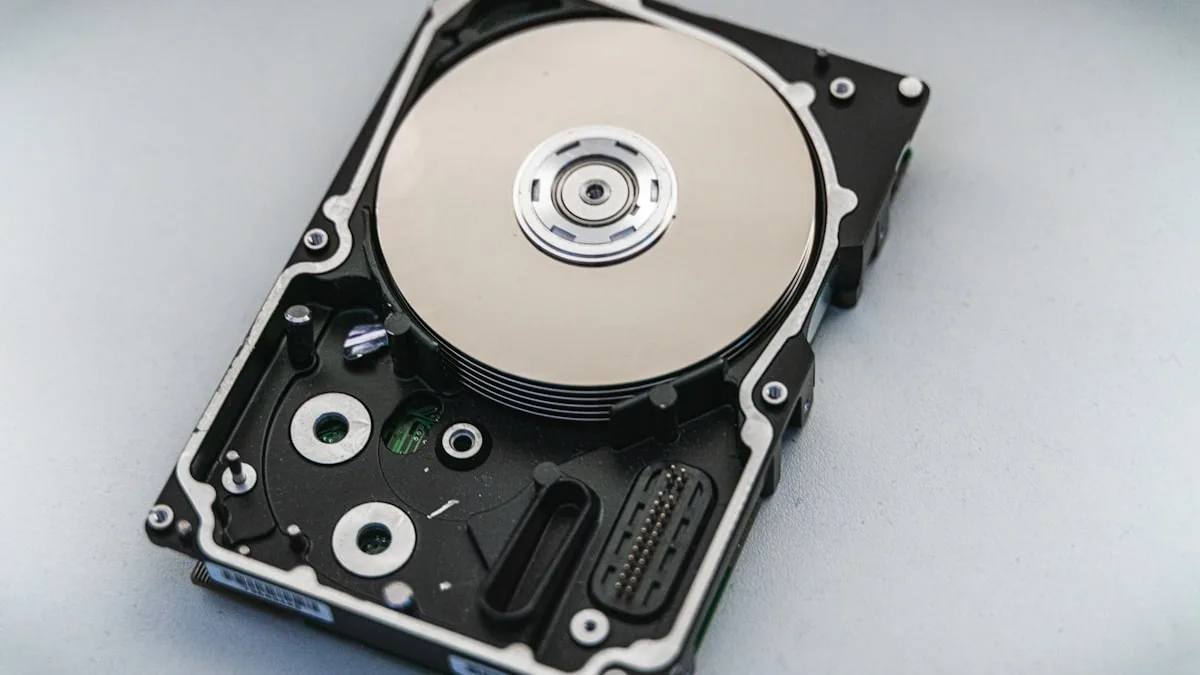
Hard drives still make sense for archive. Models you have downloaded but rarely run, datasets, checkpoints, backups. Capacity per pound is unmatched and the speed penalty only applies when you actually reach for something.
Do You Need RAID?
Usually not, and this is where a lot of storage for local AI advice overcomplicates things.
RAID solves two problems: performance and redundancy. For storage for local AI, neither is compelling in most setups.
Performance. A single modern NVMe drive already saturates what model loading needs. Striping two drives to load a model in four seconds instead of eight is not a meaningful improvement to anyone’s day.
Redundancy. Here is the key point: model weights are re-downloadable. If a drive dies, you pull the models again from Hugging Face or Ollama. Annoying, not catastrophic. That is a fundamentally different risk profile from family photos or business records.
RAID becomes worth considering when you have fine-tuned models you cannot re-download, training datasets you assembled yourself, or checkpoints from expensive runs. Those are genuinely irreplaceable, and they deserve either redundancy or a proper backup.
The simpler answer for most people is a backup rather than RAID, because RAID protects against drive failure and not against deleting the wrong folder.
When a NAS Makes Sense
A NAS earns its place in a storage for local AI setup in two situations.
Multiple machines sharing a model library. If you have a desktop, a laptop and a home AI server all pulling the same models, storing them once centrally beats maintaining three copies.
Bulk archive that outgrows internal bays. Once your library passes what fits comfortably inside your workstation, external capacity is the natural next step.
The critical caveat is network speed. Loading models over the network is bounded by your link, not your disks. Over 1GbE at roughly 110 MB/s, a 40GB model takes six minutes. Over 2.5GbE, roughly two and a half minutes. Over 10GbE, around 35 seconds.
The practical pattern that works: keep active models on local NVMe, archive the rest on the NAS, and pull across the network only when switching to something you have not used recently. Our GMKtec EVO-X2 review touches on why single 2.5GbE networking is a limitation on machines meant to serve models to a network.
A Practical Storage for Local AI Tiering Strategy
The storage for local AI setup that works well for most people, without overbuying:
Tier 1, active models: 1TB to 2TB NVMe. Whatever you actually use week to week. Fast loads, no thought required.
Tier 2, wider library: 2TB to 4TB SATA SSD or a second NVMe. Models you use occasionally. Slower loads are acceptable because you reach for them rarely.
Tier 3, archive: hard drives or NAS. Datasets, checkpoints, fine-tuned models, old quantisations you might want again. Capacity is the priority.
Backup, and this is the part people skip: anything you cannot re-download needs a copy somewhere else. Fine-tuned weights and assembled datasets are the irreplaceable items. Base models are not.
Starting from scratch, a single 2TB NVMe covers most individual users comfortably for a long time. Add tiers when you actually hit the limit rather than in anticipation.
Who Should Buy What
| If you are | Start with | Why | Link |
|---|---|---|---|
| Running a handful of models locally | Single 2TB NVMe Gen4 | Covers a real library with fast loads, no complexity | Check price |
| Switching models constantly | NVMe, prioritise sequential read | Load time is the only speed that matters here | N/A |
| Holding a large archive | Add hard drives or a NAS | Capacity per pound, speed penalty only on retrieval | N/A |
| Sharing models across machines | NAS with 2.5GbE or better | 1GbE makes network model loading painful | Home AI server |
| Storing fine-tuned models or datasets | Backup, not RAID | Irreplaceable data needs a second copy, not just redundancy | N/A |
Frequently Asked Questions About Storage for Local AI
Does a faster SSD make inference faster?
No. Once a model is loaded into VRAM or system memory, the disk is idle. Faster storage improves load times only, which matters if you switch models often and not at all if you keep one loaded.
Is Gen5 NVMe worth it over Gen4?
Rarely, for this purpose. Gen4 already loads a 40GB model in under ten seconds. Gen5 halves that at a meaningful price premium, which is a poor trade unless you switch models constantly.
How much storage do I actually need?
For a realistic working library at 4-bit quantisation, 1TB is comfortable and 2TB is generous. The variable is how many quantisations of the same model you keep, which is where libraries balloon.
Should I use RAID for my model library?
Usually not. Base models are re-downloadable, so redundancy protects against inconvenience rather than loss. Save the effort for fine-tuned weights and datasets, and prefer a backup over RAID for those.
Can I run models directly from a NAS?
Yes, and load times will be bounded by your network. Over 1GbE a 40GB model takes about six minutes. Keep active models local and use the NAS for archive.
Does storage matter for fine-tuning?
More than for inference. Training reads datasets repeatedly, so sustained throughput matters, and checkpoints written frequently benefit from fast writes. If you fine-tune regularly, NVMe for the working set is worth prioritising.
What About Speed Beyond Load Times
Two adjacent questions worth settling, since they come up whenever storage is discussed.
Does the drive affect quantisation or model conversion? Converting a model between formats reads and writes large files, so a fast drive genuinely helps there. It is an occasional task rather than a daily one, which is why it rarely justifies a purchase on its own.
Does storage affect RAG and embedding workloads? Vector databases are the relevant consideration here rather than model files, and their access pattern is random reads rather than sequential. If you are running a large vector index locally, NVMe matters for a different reason than model loading does. Our guide to vector databases for RAG covers the sizing side of that.
What about system memory versus disk? Some setups load models into system RAM and stream to the GPU. That shifts the bottleneck from storage to memory bandwidth, and it is worth understanding before assuming a storage upgrade solves a loading complaint.
Common Storage Mistakes
Four patterns that waste money or space, drawn from how model libraries typically go wrong.
Keeping every quantisation you have ever pulled. The single largest cause of full drives. Two quantisations of a 70B model is 80GB for a choice you made once and never revisited. Pick one per model and delete the rest.
Buying Gen5 NVMe for model storage. The load-time gain over Gen4 is a few seconds on a large model. That premium buys more capacity if spent on a larger Gen4 drive instead.
Building RAID for re-downloadable data. Base model weights are freely available again. Redundancy for them protects against inconvenience, not loss. Spend the effort on backing up fine-tuned weights instead.
Running models over 1GbE from a NAS. Six minutes to load a 40GB model is not a workflow anyone tolerates twice. If models will live on the network, 2.5GbE is the practical floor and 10GbE is comfortable.
Verdict
Storage for local AI is a capacity planning problem wearing a performance costume. The specification that matters is sequential read, the only thing it affects is model load time, and a single decent NVMe drive solves it for most people without further thought.
The honest caveat is that model libraries grow faster than anyone expects, and the growth is driven by keeping variants rather than adding genuinely new models. A 2TB drive that felt enormous fills within a year of casual experimentation. Plan for a tiered approach where active models live on fast local storage and everything else moves to cheaper capacity, and the problem stays manageable.
Concrete next step: run a disk usage check on your current model directory before buying anything. Most people find several duplicate quantisations they no longer use, and reclaiming that space is free. If you are genuinely at capacity after cleaning up, a 2TB NVMe is the right first purchase.
Sources and Further Reading
- Ollama documentation, model storage locations, disk usage and pruning unused models
- Hugging Face documentation, model file formats and the cache behaviour that fills disks quietly
- TechPowerUp SSD database, independently compiled sequential read figures across drive models
- ServeTheHome storage coverage, NAS and home-lab storage testing including network throughput realities
- llama.cpp repository, GGUF quantisation formats and their resulting file sizes
For related coverage on this site, see our home AI server build for always-on setups that benefit from shared storage, the AI workstation build guide for complete configurations, best local LLMs for deciding which models are worth keeping, and how much VRAM you need for the memory side of the same planning question.


