
This review is built from AMD’s published specifications, current retail listings and third-party benchmarks rather than hands-on use. Figures are attributed in the text, and street prices for this card moved a lot during 2026.
The AMD Radeon AI PRO R9700 is the cheapest new graphics card with 32GB of memory that you can buy without hunting for stock, and for local language models that capacity is the whole story. It loads the same models an RTX 5090 loads, at roughly half the street price, and two of them give you 64GB for less than one 5090.
Here is the honest verdict up front. The AI PRO R9700 is a capacity card, not a speed card. Its 640 GB/s of bandwidth is about a third of an RTX 5090’s, so it generates tokens noticeably slower on anything that fits both cards. And because it runs on ROCm rather than CUDA, you will spend some evenings on setup that NVIDIA owners never think about. If you can live with both, it is one of the best value buys in local AI right now.
Table of Contents
- What the AI PRO R9700 Offers
- AI PRO R9700 Pricing in Late 2026
- Capacity vs Bandwidth
- AI PRO R9700 Benchmark Numbers
- ROCm, Vulkan and the Software Bill
- Two AI PRO R9700 Cards for 64GB
- AI PRO R9700 vs RTX 5090, RTX 3090 and Arc Pro B70
- Best Models for the AI PRO R9700
- Building Around the Card
- Who Should Buy What
- FAQ
- Setting Up the AI PRO R9700
- Verdict
- Sources and Further Reading
What the AI PRO R9700 Offers
The Radeon AI PRO R9700 is AMD’s first RDNA 4 workstation card aimed squarely at local inference rather than CAD and rendering. AMD’s partner cards started shipping in late 2025, and by 2026 it had become the default AMD answer for anyone building an LLM box.
| Specification | Radeon AI PRO R9700 |
|---|---|
| Architecture | RDNA 4 (Navi 48, gfx1201) |
| Compute units | 64, with 128 AI accelerators |
| Memory | 32GB GDDR6, ECC capable |
| Bandwidth | 640 GB/s |
| Board power | 300W |
| Interface | PCI Express 5.0 x16 |
| Launch price | $1,299 |
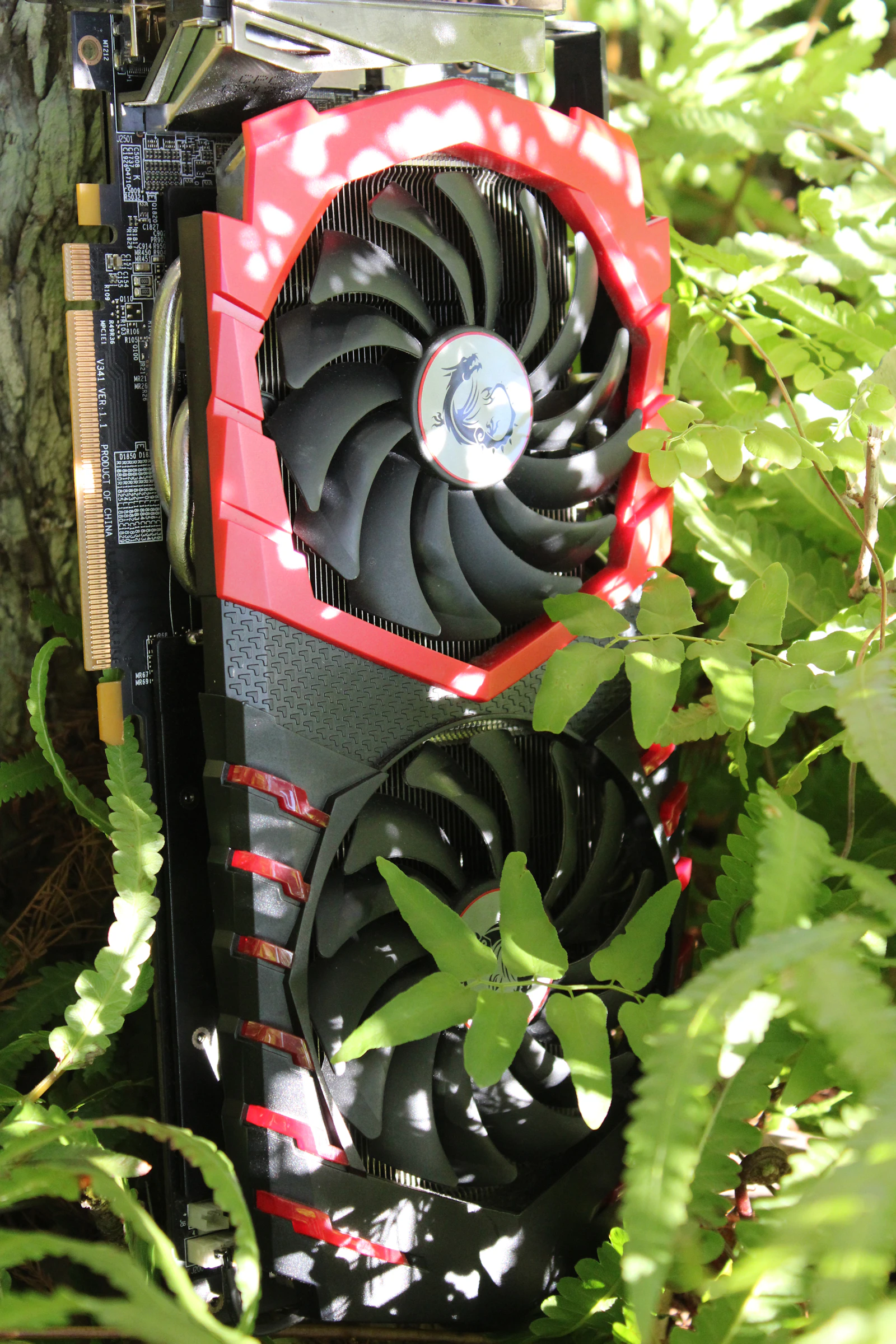
Phoronix noted that its board power is close to the older Radeon PRO W7900 at 295W, and that the ECC capability on its memory is only exposed through the Linux driver. Most partner cards use a blower cooler, which matters if you plan to stack two or more in one case: blowers push heat out of the back of the chassis instead of into the next card.
Think of the AI PRO R9700 as a cut-down gaming die with double the memory and a professional driver. That is exactly what local LLM users want. The compute is adequate; the memory is the reason to buy it.
AI PRO R9700 Pricing in Late 2026
AMD’s launch price was $1,299, and Phoronix used that figure when it compared the card with NVIDIA’s RTX 4000 Ada at $1,449 and RTX 6000 Ada at $5,300. Very few buyers paid $1,299 for long. The memory shortage that pushed up every GPU price in 2026 hit this card too.
Popular AI reported that on August 28, B&H listed the Gigabyte version at $1,459.95 and the ASUS Turbo version at $1,899.99, both temporarily out of stock. Retail listings reported in September and October mostly sat between about $1,400 and $1,900, with $1,600 to $1,700 a typical figure. Check current prices before you plan a build around a number.
Even at $1,700, the AI PRO R9700 is roughly half the street price of an RTX 5090, which in 2026 rarely sold anywhere near its own list price. Measured in gigabytes of VRAM per dollar, only used cards and Intel’s Arc Pro range come close.
Capacity vs Bandwidth
Two numbers decide how a card performs on language models. Capacity decides what you can load. Bandwidth decides how fast the loaded model generates text, because each new token requires reading the active weights from memory.
OpenClaw’s guide summed up the card neatly: 32GB, like an RTX 5090, at about a third of its bandwidth. That ratio predicts almost every benchmark you will read. On a model that fits both cards, the 5090 generates text much faster. On a model that needs 28GB, the 5090 is still faster, but a 24GB card like the RTX 3090 or RTX 4090 cannot load it at all.
So the useful question is not whether the AI PRO R9700 is fast. It is whether your models need more than 24GB. If they do, this card is in a small group of sensible options. If they do not, a used RTX 3090 with 936 GB/s is faster for similar money.
AI PRO R9700 Benchmark Numbers
Several independent sources have now tested the card with llama.cpp, vLLM and Ollama. Results swing a lot with backend and driver version, so treat them as indications rather than fixed figures.
- Local AI Master’s comparison put the RTX 5090 at roughly 1.5 times faster on decode and 2.6 to 3.4 times faster on prefill, citing a llama.cpp discussion. That matches the bandwidth gap.
- Back2Gaming’s review found the 32GB card kept a 27B model fully in VRAM for the fastest replies, at about a third of an RTX 5090’s price.
- OpenClaw’s model guide, using the dual-card benchmark repository published by truelies444, concluded that Qwen3.6 35B-A3B is the best general model for the card, because a mixture-of-experts design reads only a small fraction of its weights per token.
- AMD’s own figures claim up to 179% of an RTX 4500 Blackwell’s throughput on Llama 3.1 8B with vLLM. Those are vendor numbers on a small model and should be read that way.
The pattern is consistent. Dense models in the 27B to 32B range run at comfortable reading speed. Mixture-of-experts models around 30B to 35B total parameters run quickly. Prompt processing is where the card falls furthest behind NVIDIA, which you will notice most with long documents and coding agents.
One practical point is often missed. Benchmarks usually report a fresh, short prompt. In real use, a coding agent or a chat with a long history sends thousands of tokens of context on every turn, and the card has to process all of them before it writes the first word of a reply. On the AI PRO R9700 that prefill wait is the delay you will notice most, more than the generation speed. If your work involves long documents, test with a long prompt before you judge the card, and consider whether a second card or a faster NVIDIA option fits better.
ROCm, Vulkan and the Software Bill
This is the part of any AI PRO R9700 review that matters most, and the part spec sheets skip. Drew’s blog post on the card opened with a line that captures the mood: picking AMD and ROCm for AI is choosing hard mode. That was written in early 2026. Things have improved since, but the warning still applies.
The improvements are real. AI Miracle’s review concluded that PyTorch, llama.cpp and Ollama all run on the card through ROCm, with occasional extra setup compared with CUDA. CraftRigs noted that community llama.cpp builds for RDNA 4 are increasingly stable and need fewer obscure environment variables than older ROCm versions.
The rough edges are also real. SpecPicks warned that a default llama.cpp build can fail to detect the Navi 48 chip and quietly fall back to the CPU, so you need to set the gfx1201 target explicitly when compiling. Some packaged tools shipped ROCm builds without gfx1201 kernels for a while, which pushed users to the Vulkan backend as a workaround.
Vulkan is not a consolation prize. Phoronix’s October tests of the Lemonade local server found that Vulkan sometimes gave faster time to first token on the R9700, while ROCm generally gave lower latency overall. OpenClaw’s own conclusion was that no single backend wins on this card. Test both on your model before you settle.
The bigger risk is everything outside inference. Fine-tuning tools, research repositories and many image and video pipelines still assume CUDA. If your plans go beyond running models through llama.cpp, vLLM or Ollama, budget time for things that simply do not work yet.
Two AI PRO R9700 Cards for 64GB
The configuration that makes this card exciting is two of them. Two cards give you 64GB of VRAM for roughly the price of one RTX 5090, enough to hold 70B dense models at 4-bit or large mixture-of-experts models with room for context.
Puget Systems tested exactly this and has updated its article since, including a September 2026 retraction note on its multi-GPU vLLM results on bare metal. That revision is a useful reminder that multi-GPU AMD setups are still settling. The truelies444 repository found that the second card matters most for long prompts, retrieval and document ingestion, where prefill dominates.
Popular AI’s verdict was measured: two cards are a very good buy if you already know your workload works through llama.cpp or another proven AMD path. That is the right test. Do not buy two cards hoping your preferred framework catches up.
Practical notes for a dual build: you want a motherboard with two slots that actually run at x8 or better, a power supply of at least 1,000W, and blower-style cards or very good case airflow. Our dual GPU build guide covers the platform choices in more detail.
AI PRO R9700 vs RTX 5090, RTX 3090 and Arc Pro B70
| Card | VRAM | Bandwidth | Typical 2026 street price | Best for |
|---|---|---|---|---|
| Radeon AI PRO R9700 | 32GB | 640 GB/s | About $1,400 to $1,900 | 32GB capacity on a budget |
| RTX 5090 | 32GB | 1,792 GB/s | Well above list | Maximum speed, CUDA |
| Used RTX 3090 | 24GB | 936 GB/s | About $1,000 to $1,400 | Speed per dollar under 24GB |
| Intel Arc Pro B70 | 32GB | 608 GB/s | About $1,100 to $1,300 | Cheapest 32GB, immature stack |
The RTX 5090 is faster at everything and runs every tool. You pay a large premium for that. The used RTX 3090 is faster than the AI PRO R9700 on any model under 24GB and has CUDA, but it is an older, power-hungry card with no warranty. Intel’s Arc Pro B70 matches the capacity for less money, but StorageReview judged its software stack still behind its hardware, which is a bigger gap than ROCm’s.
So the R9700 sits in the middle: more mature than Intel, cheaper than NVIDIA at this capacity, slower than both NVIDIA options on small models.
Best Models for the AI PRO R9700
Pick models that suit a high-capacity, moderate-bandwidth card. That means mixture-of-experts models first, then dense models in the mid-20B to low-30B range at 4-bit or 5-bit.
- Qwen3.6 35B-A3B. OpenClaw’s pick for the card, and a good default. Large-model quality with only a few billion active parameters per token.
- Gemma 4 26B-A4B. Another mixture-of-experts model that fits with room for long context.
- Dense 27B to 32B models at Q4 or Q5. These fit entirely in 32GB with space for a reasonable KV cache.
- gpt-oss-20b. Small enough to leave lots of room for context, and fast on this card.
Avoid treating 32GB as a 70B card. A 70B dense model at 4-bit needs around 40GB before context, which means two cards or heavy offloading to system memory. For model picks across all hardware, see our best local LLMs guide.
Building Around the Card
A single AI PRO R9700 does not need an exotic system. Any modern desktop with a PCIe 4.0 or 5.0 x16 slot, a quality 850W power supply and 64GB of system RAM will do. Linux is the better platform for ROCm work, and Ubuntu LTS releases get the most attention from AMD and from community guides.
Use fast NVMe storage for model files. Loading a 20GB model from a slow drive wastes minutes every time you switch. Our storage guide and power supply guide cover both decisions.
Finally, check physical clearance and cooling. Blower cards are loud under sustained load. If the machine will sit near your desk, plan for some fan noise or put it in another room and connect over the network.
Who Should Buy What
| If you are | Start with | Why | Link |
|---|---|---|---|
| Needing 32GB on one card for under $2,000 | Radeon AI PRO R9700 | Most mature 32GB option at this price | Check price |
| Wanting 64GB for 70B models | Two AI PRO R9700 cards | 64GB for roughly one RTX 5090 | Check price |
| Running models under 24GB | Used RTX 3090 | Faster and CUDA, for less | Check price |
| Wanting speed and every tool to work | RTX 5090 | Triple the bandwidth, CUDA | Check price |
Frequently Asked Questions About the AI PRO R9700
Is the AI PRO R9700 good for local LLMs?
Yes, if you need 32GB. It loads the same models as an RTX 5090 for much less money, though it generates text more slowly.
Does Ollama work on it?
Yes. Ollama, llama.cpp and PyTorch all run on the card through ROCm, and Vulkan is a working alternative if a ROCm build gives you trouble.
How much does it cost?
Launch price was $1,299. Through late 2026, retail listings mostly ranged from about $1,400 to $1,900.
Is it faster than an RTX 3090?
Not on models that fit in 24GB. The 3090 has more bandwidth. The R9700 wins only when you need the extra 8GB.
Should I buy two?
Only if you need 64GB and your workload already runs on a proven AMD path such as llama.cpp. The second card helps most with long prompts.
Can it fine-tune models?
Small-scale fine-tuning is possible through PyTorch on ROCm, but many training tools assume CUDA. Expect friction.
Setting Up the AI PRO R9700
Start on a current Ubuntu LTS release with the latest ROCm version AMD supports for RDNA 4. Install the driver and ROCm userspace first, confirm the card appears with rocminfo, then install your inference tools.
If you compile llama.cpp yourself, set the gfx1201 target explicitly. Then run the same model through both the ROCm and Vulkan backends and compare. Keep whichever is faster for your model; the answer differs by workload.
Watch power and heat for the first few long runs. A 300W blower card in a cramped case will throttle. Leave the cover off for a test run if you are unsure, and check temperatures with your monitoring tool of choice.
Verdict
Buy the AMD Radeon AI PRO R9700 if you need 32GB of VRAM on one card, you run inference through llama.cpp, vLLM or Ollama, and you are comfortable on Linux. Buy two if you want 64GB for 70B-class models without NVIDIA workstation prices.
The honest caveat is speed and software. An RTX 5090 is much faster, a used RTX 3090 is faster on smaller models, and ROCm still costs more setup time than CUDA. Street prices also sit well above the $1,299 launch price.
Next step: list the models you actually run and check whether any of them need more than 24GB. If one does, price the AI PRO R9700 against the RTX 5090 today. If none does, a used 3090 is probably the better buy.
Sources and Further Reading
- Phoronix: single and dual R9700 benchmarks, for Linux performance and specifications.
- Puget Systems: dual-GPU inference, for multi-card results and setup notes.
- truelies444: dual R9700 llama.cpp benchmarks, for raw ROCm test data.
- Phoronix: ROCm vs Vulkan, for backend comparisons.
- Local AI Master: R9700 for local AI, for the RTX 5090 comparison.
On this site: compare options in our best GPU for local AI guide, check memory needs with how much VRAM for AI, see AMD’s previous card in the RX 9070 XT review, and choose a server in LLM inference servers compared.