
This review is built from Raspberry Pi’s published specifications, retail pricing and third-party testing rather than hands-on use. Figures and test results are attributed in the text.
The Raspberry Pi AI HAT+ 2 is a $130 add-on board that puts a Hailo-10H neural accelerator and 8GB of its own memory on top of a Raspberry Pi 5. Raspberry Pi pitched it as the way to bring generative AI, language models and vision-language models, to the Pi.
Here is the honest answer. For running language models, the Pi AI HAT+ 2 mostly disappoints. Jeff Geerling, who tested every model Hailo had released, found that the Pi 5’s own CPU beat the accelerator on most of them. Where the board earns its price is power efficiency, computer vision, and freeing up a small Pi’s memory and CPU for other work. Buy it for those reasons, not because you want a faster chatbot.
Table of Contents
- What the Pi AI HAT+ 2 Offers
- How It Differs From the First Pi AI HAT
- Pi AI HAT+ 2 LLM Performance
- Why the CPU Beats the Pi AI HAT
- Where the Pi AI HAT+ 2 Does Win
- Which Models the Pi AI HAT+ 2 Runs
- Pi AI HAT+ 2 Software Maturity
- Pi AI HAT+ 2 Cost and Alternatives
- Good Projects for the Pi AI HAT+ 2
- Power, Heat and Enclosures
- A Quick Test Before You Buy
- Who Should Buy What
- FAQ
- Setting Up the Pi AI HAT+ 2
- Verdict
- Sources and Further Reading
What the Pi AI HAT+ 2 Offers
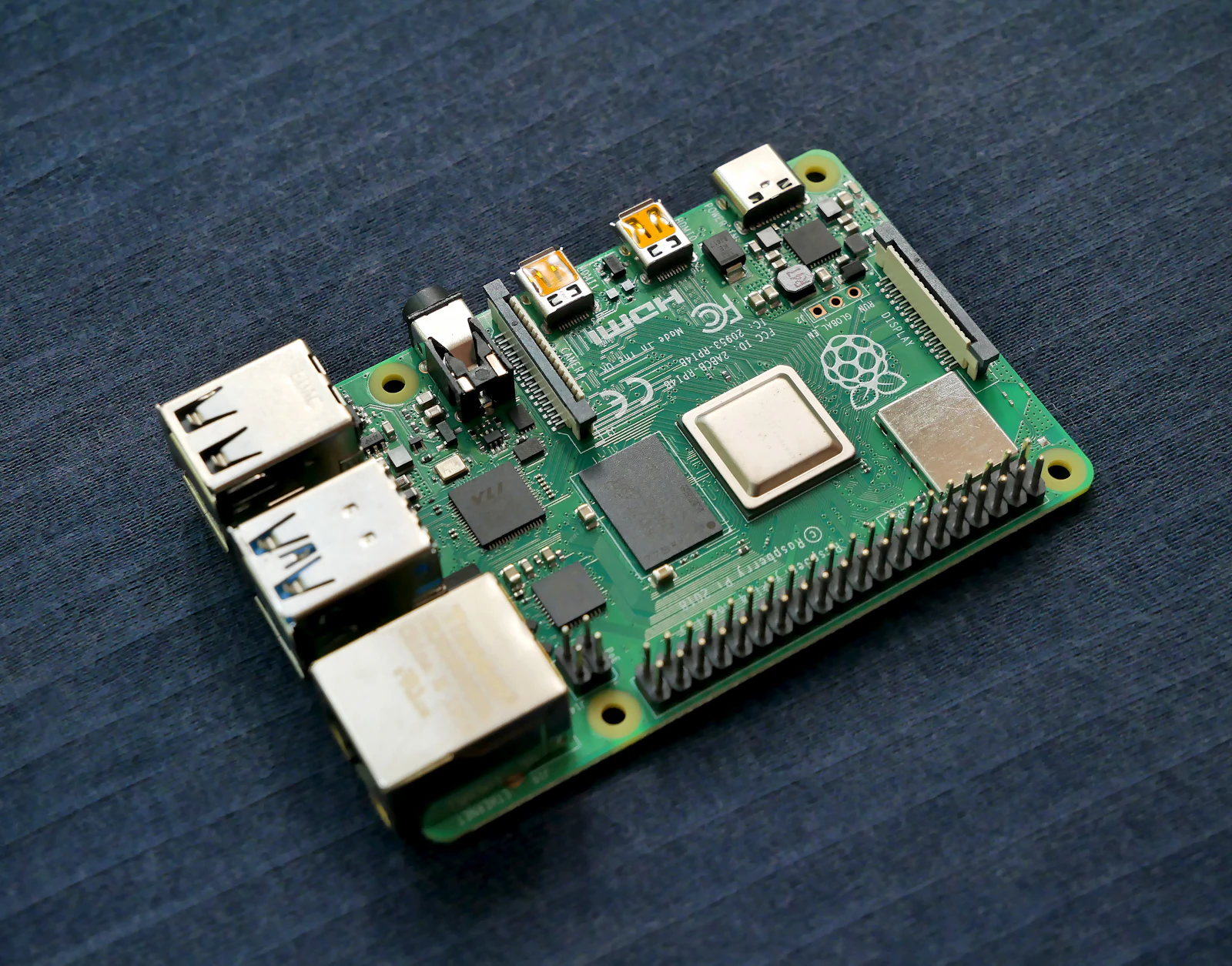
Raspberry Pi launched the board on January 15, 2026. It connects to the Pi 5 through the PCIe flat cable and sits on top of the board in the standard HAT+ form factor.
| Specification | AI HAT+ 2 |
|---|---|
| Accelerator | Hailo-10H |
| Compute | 40 TOPS INT4, 20 TOPS INT8 |
| On-board memory | 8GB LPDDR4X |
| Host | Raspberry Pi 5, via PCIe |
| Price | $130 |
| Production life | Until at least January 2036 |
Tom’s Hardware listed a separate figure of 26 TOPS for image inference and computer vision. CNX Software noted the long production commitment, which matters for anyone designing a product around the board rather than a weekend project.
The key selling point is the 8GB of memory on the HAT. Model weights load there rather than into the Pi’s own RAM, so in principle a 2GB or 4GB Pi can run a language model and still have its memory free for the rest of your application. CNX Software tested it on exactly that: a 2GB Pi 5.
How It Differs From the First Pi AI HAT
The original AI HAT+ from 2024 used a Hailo-8 or Hailo-8L chip running at INT8, with no on-board memory. It was built for computer vision, things like object detection on a camera feed, and it did that well.
Hackster’s review explained the change: the Hailo-10H runs at INT4, which halves the size of model weights, and the added 8GB of memory gives it somewhere to put a language model. Electronic Specifier summarised it as limited generative AI support on the first board and full LLM and VLM support on the second, while noting that the older board remains strong for vision.
So the new Pi AI HAT is not a straight upgrade. It is the version designed for generative workloads. If you only need object detection, the cheaper first-generation board is still worth considering.
Pi AI HAT+ 2 LLM Performance
This is where expectations meet reality. Jeff Geerling tested every model Hailo had published for the chip and compared each against the same model running on the Pi 5’s CPU. His conclusion was blunt: the Pi’s built-in CPU trounces the Hailo 10H.
The accelerator only came close on one model, Qwen2.5 Coder 1.5B. On the others, the CPU was faster. Geerling also found that the tiny models available for the chip struggled to complete basic tasks, which is a quality problem on top of the speed problem.
The Register and others raised the same question about value. Byteiota put it simply: if the CPU beats the NPU on most language models, the roughly $190 for a HAT plus a Pi 5 is hard to justify for LLM work alone.
Why the CPU Beats the Pi AI HAT
A result like this surprises people because 40 TOPS sounds like a lot of compute. The explanation is the same one that applies to every machine that runs language models: generating text is limited by memory bandwidth, not compute.
Each new token requires reading the model’s active weights from memory. The Hailo-10H reads them from LPDDR4X, which is not especially fast, over a design capped at very low power. The Pi 5’s CPU reads from its own memory and can draw several times more power. For a 1.5B model, both are bandwidth-bound, and the CPU has the edge.
TOPS figures describe peak arithmetic, which matters for vision models that do a lot of maths per byte of weights. Language model decoding does very little maths per byte. That is why a vision accelerator, however good, does not automatically make a good LLM accelerator.
Where the Pi AI HAT+ 2 Does Win
Efficiency is the board’s real advantage. Geerling found the Hailo slightly more efficient in most cases, and noted that it is capped at about 3W, while the Pi’s SoC can draw around 10W under load.
That matters for battery-powered robots, solar-powered sensors and anything sealed in a small enclosure where heat is a problem. A device that runs a small model at similar speed for a third of the power can run three times as long on the same battery.
It also matters when the Pi has other jobs. If your CPU is busy controlling motors, handling a camera or serving a web interface, moving the model to the HAT keeps it free. The model is slower than it would be on an idle CPU, but your CPU is no longer idle. For many embedded projects that is the actual requirement.
Finally, the board is good at vision. Computer vision models make heavy use of the arithmetic units the chip is built around, and Raspberry Pi says visual models such as YOLO can be retrained on your own datasets using Hailo’s Dataflow Compiler.
Which Models the Pi AI HAT+ 2 Runs
Models must be compiled for the Hailo chip, so you are limited to what Hailo and Raspberry Pi publish, or what you can convert yourself. Let’s Data Science reported that the board supports local inference for models up to about 1.5 billion parameters.
Tom’s Hardware said the demo code leans heavily on qwen2:1.5b, with DeepSeek-distilled Qwen models also available. There are vision-language models as well, which can describe what a camera sees.
That is a small set of small models. Do not expect anything close to the quality of the 8B to 30B models people run on desktop GPUs. Think short commands, simple classification, keyword extraction and basic captions.
Pi AI HAT+ 2 Software Maturity
The software was young at launch. Geerling ran into segmentation faults when running vision and language workloads at the same time, which is exactly the combined use case the board was marketed for. Tom’s Hardware noted its review unit predated the official software repositories.
A verified buyer review on Little Bird Electronics summed it up: the HAT was easy to add to a Pi 5, but adding the AI models was more complicated. Expect to follow Hailo’s documentation closely, and to check forums when something breaks.
Software for both Hailo and Raspberry Pi tends to improve over time, so some of these problems will fade. Buy based on what works today, though, not what might work next year.
Pi AI HAT+ 2 Cost and Alternatives
The board costs $130, and you need a Raspberry Pi 5, a good power supply and a case. That puts a complete setup somewhere around $190 to $250 depending on the Pi’s memory size.
For that money there are alternatives worth comparing. An 8GB or 16GB Pi 5 without the HAT runs the same small models on its CPU at similar or better speed. A small used mini PC with 16GB of RAM can run 3B to 8B models through llama.cpp far faster. And for real edge AI work, NVIDIA’s Jetson Orin Nano Super offers a GPU with CUDA for a few hundred dollars. See our Jetson Orin Nano Super review for that comparison.
| Option | Approximate cost | Best for |
|---|---|---|
| Pi 5 plus AI HAT+ 2 | About $190 to $250 | Low-power vision plus tiny LLMs |
| Pi 5 16GB alone | Less than the combo | Tiny LLMs on CPU, simpler setup |
| Jetson Orin Nano Super | A few hundred dollars | CUDA edge AI, larger models |
| Used mini PC, 16GB+ | Varies | 3B to 8B models through llama.cpp |
Good Projects for the Pi AI HAT+ 2
Some uses fit the board well. Raspberry Pi’s own list of target applications includes offline process control, secure data analysis, facilities management and robotics. The common thread is a device that must work without internet access, on limited power, while doing several things at once.
- A camera that describes what it sees. A vision-language model can caption scenes for a security system or an accessibility device, without sending images to the cloud.
- Voice commands for a robot. A small model turns short spoken requests into structured actions while the CPU handles movement.
- Prototyping Hailo products. Hardware Reporter on LAVX pointed out that the board doubles as a development platform for products built around the Hailo-10H, citing Fujitsu’s self-checkout shrink detection as an example.
Bad fits are equally clear: a home chatbot, a coding assistant, document summarisation or anything that needs a model larger than a couple of billion parameters.
Power, Heat and Enclosures
Because efficiency is the board’s best argument, it is worth thinking through what it means in a real device. A Pi 5 running a small model flat out on its CPU draws noticeably more power and gets hot enough to need active cooling. Add the HAT and route the model to it, and the CPU can idle while the accelerator handles inference at a few watts.
In a battery-powered device, those watts translate directly into runtime. In a sealed outdoor enclosure, they translate into heat you do not have to get rid of. In a classroom or a kiosk, they mean a quieter fan or none at all. None of these show up in a tokens-per-second chart, but they often decide whether a design works.
There is a physical cost too. The HAT sits on top of the Pi and takes the PCIe connector, so it competes with NVMe storage HATs that use the same port. If your project needs both fast storage and the accelerator, check for a combined solution or plan to boot from a USB SSD.
Cooling the stack needs some care. The official active cooler fits under the HAT, but airflow is tighter than on a bare Pi. For sustained workloads, use a case designed for HAT stacks with a fan that moves air across both boards.
A Quick Test Before You Buy
If you already own a Raspberry Pi 5, you can make a good decision without spending anything. Install llama.cpp or Ollama on the Pi, download a 1.5B model such as Qwen2.5 1.5B at 4-bit, and time a few responses on the CPU. Then watch the power draw and temperature while it runs.
If the speed is acceptable and the power and heat are fine for your project, you do not need the Pi AI HAT+ 2 for language work. If the speed is acceptable but the CPU is needed elsewhere, or the device must run on a small battery, the HAT starts to make sense. If the speed is not acceptable on the CPU, the HAT will not fix it, and you should be looking at a Jetson or a mini PC instead.
This ten-minute test answers the real question better than any spec sheet, including this review.
Who Should Buy What
| If you are | Start with | Why | Link |
|---|---|---|---|
| Building a low-power vision or robotics device | Raspberry Pi AI HAT+ 2 | Efficient, offline, frees the CPU | Check price |
| Wanting a small local chatbot on a Pi | Pi 5 with 16GB, no HAT | CPU is as fast or faster | Check price |
| Needing real edge LLM performance | Jetson Orin Nano Super | GPU and CUDA | Check price |
| Wanting a capable home AI box | Budget local AI build | Runs 8B to 14B models properly | Check price |
Frequently Asked Questions About the Pi AI HAT+ 2
Does the Pi AI HAT+ 2 make language models faster?
Usually not. Independent testing found the Pi 5’s CPU faster on most models. The HAT’s advantage is lower power use and a free CPU.
What models can it run?
Models compiled for the Hailo-10H, up to about 1.5 billion parameters, such as Qwen2 1.5B and DeepSeek-distilled Qwen variants, plus vision models.
How much does it cost?
$130 for the board. You also need a Raspberry Pi 5.
Is it better than the original AI HAT+?
For generative AI, yes. For pure computer vision, the original board remains a strong and cheaper choice.
Can it work with a 2GB Pi 5?
Yes. Because models load into the HAT’s own 8GB, CNX Software ran its tests on a 2GB Pi 5.
Is the software ready?
It works for single tasks, but early testing hit crashes when running vision and language models together.
Setting Up the Pi AI HAT+ 2
Start with a current Raspberry Pi OS image and update it. Attach the HAT with the supplied PCIe cable and standoffs, then install the Hailo packages from Raspberry Pi’s official repositories.
Run one of the supplied vision demos first to confirm the accelerator works, then try a language model demo. Use the official 27W power supply; an underpowered Pi with a PCIe device attached is a common source of strange crashes.
If you plan to combine vision and language models, test the combination early, since that is where the most problems were reported.
Verdict
Buy the Raspberry Pi AI HAT+ 2 if you are building a low-power, offline device that needs vision, small language models, or both, and you need the Pi’s CPU free for other work. For that job it is good value with a long production life.
The honest caveat is that it does not make a Raspberry Pi a good LLM machine. The CPU is often faster on its own, the supported models are tiny, and the software was still crashing on mixed workloads in early tests.
Next step: write down your power budget and what the CPU must do besides AI. If power or CPU time is tight, the Pi AI HAT+ 2 makes sense. If not, try your model on the Pi 5’s CPU first and keep the $130.
Sources and Further Reading
- Jeff Geerling: AI HAT+ 2 testing, for NPU versus CPU benchmarks.
- CNX Software: hands-on review, for vision, LLM and VLM tests on a 2GB Pi.
- Hackster: generative AI on the Pi, for the INT4 change explained.
- Tom’s Hardware: AI HAT+ 2 review, for specifications and supported models.
- Raspberry Pi: launch announcement, for official claims and use cases.
On this site: compare edge options in our Jetson Orin Nano Super review, plan something bigger with the budget local AI build, learn why bandwidth matters in how much VRAM for AI, and see where small models fit in best local LLMs.