
This review is built from Minisforum’s published specifications, retail listings and third-party reviews and benchmarks rather than hands-on use. Figures are attributed in the text, and prices for 128GB systems rose sharply through 2026.
The Minisforum MS-S1 Max is a Strix Halo mini workstation: AMD’s Ryzen AI Max+ 395 with 128GB of unified memory, in a box about the size of a thick hardback. Like every machine on this chip, it can give up to 96GB of that memory to its integrated GPU, which lets it load models that no single consumer graphics card can hold.
Here is the honest framing. Language model speed on Strix Halo is set by the chip’s 256 GB/s memory bandwidth, and the MS-S1 Max uses the same chip and memory as its rivals, so it generates tokens at about the same speed as a GMKtec EVO-X2, a Beelink GTR9 Pro or a Framework Desktop. What sets it apart is everything around the chip: dual 10GbE, USB4 v2, a real PCIe slot and an internal power supply. If those matter to you, it is the best-equipped Strix Halo box. If they do not, it is usually not the cheapest.
Table of Contents
- What the MS-S1 Max Offers
- The MS-S1 Max Extras That Matter
- MS-S1 Max Pricing in Late 2026
- MS-S1 Max LLM Performance
- How Much Memory the GPU Gets
- MS-S1 Max Noise, Power and Cooling
- Software on Strix Halo in 2026
- Clustering Two or More Units
- Adding a Graphics Card
- MS-S1 Max vs EVO-X2, GTR9 Pro and Framework Desktop
- Against a Mac Studio or DGX Spark
- The 192GB P495 Variant
- As a Homelab Server
- Who Should Buy What
- FAQ
- Setting Up the MS-S1 Max
- Verdict
- Sources and Further Reading
What the MS-S1 Max Offers
Minisforum positions the machine as an AI workstation rather than a mini PC, and the specification supports that.
| Specification | Minisforum MS-S1 Max |
|---|---|
| Processor | AMD Ryzen AI Max+ 395, 16 Zen 5 cores |
| Graphics | Radeon 8060S, 40 compute units |
| Memory | 128GB LPDDR5X-8000, soldered |
| Memory bandwidth | 256 GB/s |
| AI engines | NPU up to 50 TOPS, platform total up to 126 TOPS |
| Networking | Dual 10GbE, Wi-Fi 7 |
| Expansion | PCIe x16 slot wired at x4, USB4 v2 at 80 Gbps |
| Power supply | Internal, 320W |
| Weight | About 2.8 kg |
Liliputing’s early coverage confirmed the quad-channel LPDDR5X-8000 memory and 256 GB/s bandwidth. Micro Center’s listing shows the 128GB, 2TB model with Windows 11 Pro, dual 10GbE, Wi-Fi 7 and Bluetooth 5.4. NAS Compares listed the NPU at up to 50 TOPS and the platform total at up to 126 TOPS.
The memory is soldered. Buy the capacity you need for the life of the machine, which for local AI almost always means 128GB.
The MS-S1 Max Extras That Matter
Every Strix Halo machine shares the same processor. The differences are in what the manufacturer builds around it, and this is where Minisforum spent its effort.
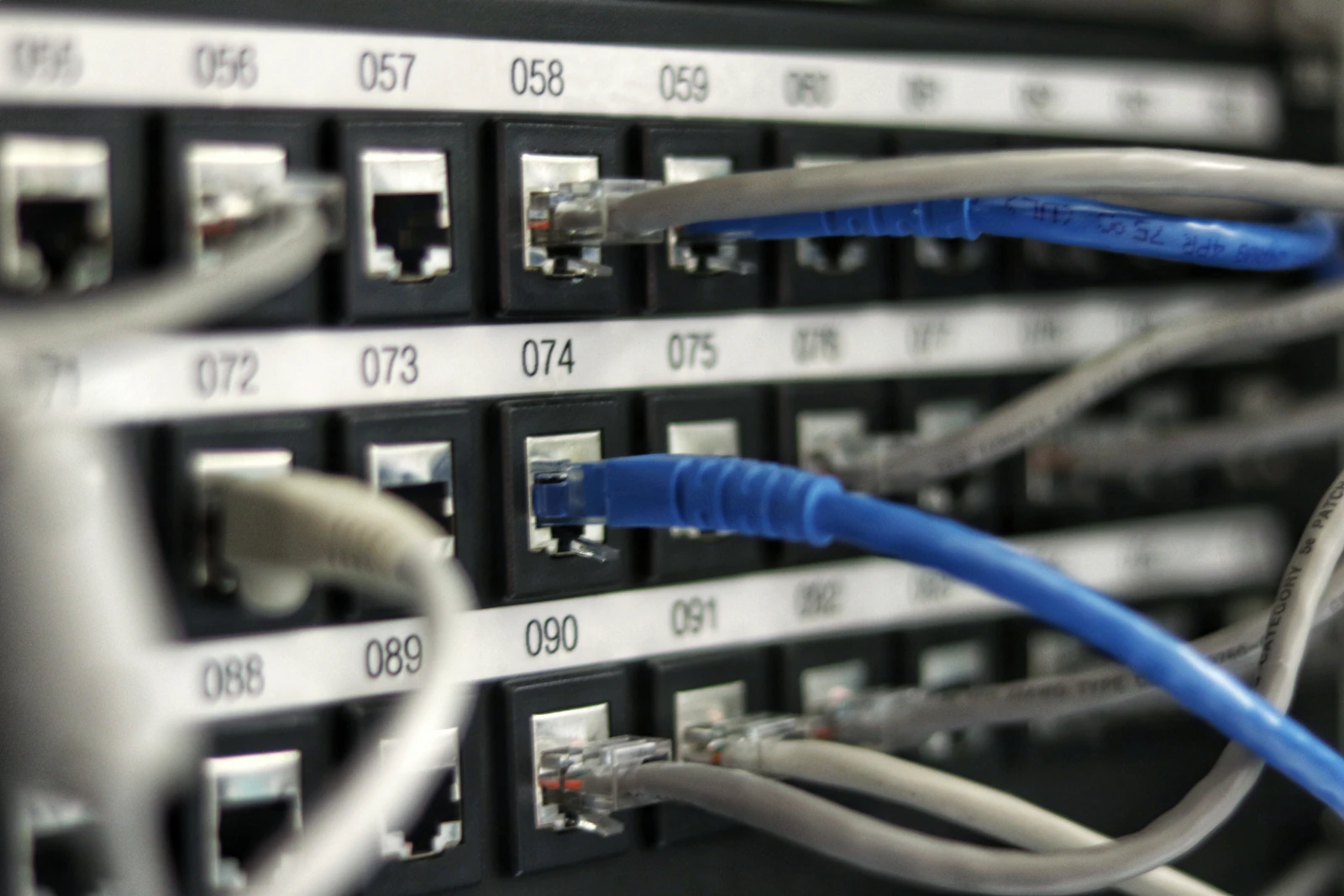
Dual 10GbE. Two 10-gigabit Ethernet ports make the machine practical as a network model server and allow fast links between units. Jim’s Garage highlighted them alongside the memory as the headline features. One buying guide, MiniPCLab, described the machine as having dual 2.5GbE instead, which conflicts with Minisforum’s specification and retailer listings; check the exact model you are buying.
USB4 v2 at 80 Gbps. Twice the bandwidth of standard USB4, useful for fast external storage and for linking machines directly.
A PCIe x16 slot. PromptQuorum noted it runs at x4 electrically. That is enough for a fast network card or storage controller, and workable for some graphics cards, but not a full-speed GPU slot.
An internal 320W power supply. No external brick, which matters more than it sounds in a rack or a tidy desk setup. Tech Notice also credited the internal supply with making it a better overall mini PC.
MS-S1 Max Pricing in Late 2026
The machine’s price has moved a long way. PromptQuorum recorded a $2,299 pre-order price for the 128GB, 2TB model at launch in 2025. NAS Compares later listed $2,639, and PCBuildAdvisor showed $2,959.
By late 2026, the memory shortage that hit every high-capacity system had pushed it much higher. Minisforum’s US store listed the 128GB model at roughly $3,900 to $4,200 on sale around the end of October. That is a big jump, and it changes the value comparison with a Mac Studio or a GPU build considerably.
Check current prices across the store, Amazon and Micro Center before buying. They differed by hundreds of dollars at times during 2026.
MS-S1 Max LLM Performance
Because the chip and memory are identical to other Strix Halo systems, published results from any of them apply here, with small differences from cooling and power limits.
| Model | Approximate speed | Source |
|---|---|---|
| 120B mixture-of-experts at 4-bit | Past 50 tok/s | Spawning Pint, EVO-X2 |
| gpt-oss-20b in LM Studio | About 22 tok/s in one user’s test | Framework community |
| Dense 70B at Q4 | Around 5 tok/s | Spawning Pint, EVO-X2 |
The spread tells you how to use the machine. Big mixture-of-experts models, which read only a few billion parameters per token, run well. Dense 70B models technically fit but run slowly. The Framework user’s 22 tokens per second on gpt-oss-20b is lower than many reports and probably reflects settings, but the reply explaining it is useful: Strix Halo’s real-world bandwidth is closer to 215 GB/s, about a fifth of an RTX 4090’s.
LLMRun rates the 128GB MS-S1 Max as excellent for local AI because of the memory and bandwidth combination, and that is fair as long as you choose models that suit it.
How Much Memory the GPU Gets
Strix Halo lets you set how much of the 128GB is reserved for the GPU. Akita on Rails bought the machine specifically because 96GB can be allocated as VRAM, and LLMRun uses about 96GB as the usable figure.
On Linux, newer kernels and drivers can let the GPU use more of the memory dynamically. On Windows, the allocation is set in the BIOS or AMD’s software. Either way, leave enough for the operating system and whatever else the machine runs. A model server with nothing else on it can push the GPU share higher than a desktop doing other work.
That 96GB is the real reason to buy any Strix Halo system. It holds models like gpt-oss-120b, Qwen’s larger mixture-of-experts releases and 70B dense models at 4-bit, all of which are out of reach for a single 24GB or 32GB graphics card.
MS-S1 Max Noise, Power and Cooling
A machine that runs models for hours needs to stay cool without becoming a nuisance. The Ryzen AI Max+ 395 can draw well over 100W under sustained load, and how a manufacturer handles that heat decides whether the box holds its speed or throttles.
The MS-S1 Max is larger and heavier than most mini PCs, at about 2.8kg, and that size is partly cooling. TechRadar scored its design highly. A bigger chassis allows larger fans that can move the same air more quietly, which matters for a machine that might sit on a desk running a model all afternoon.
Idle power is the other half of the story. As an always-on homelab server, the box spends most of its time doing little. Strix Halo systems idle far more efficiently than a desktop with a large graphics card, which is a real saving over a year of continuous operation compared with a GPU tower.
If noise matters to you, check the fan profile options in the BIOS and choose a balanced mode. Sustained generation speed depends mostly on memory bandwidth rather than peak clocks, so a quieter profile often costs very little in tokens per second.
Software on Strix Halo in 2026
Software support for Strix Halo improved steadily through 2026. llama.cpp runs well through both its Vulkan and ROCm backends, and Phoronix’s testing of AMD’s Lemonade server found ROCm giving lower latency on Strix Halo in most cases, with Vulkan occasionally ahead on time to first token. LM Studio and Ollama both run on it, on Windows and Linux.
The practical advice is the same as for any AMD platform: try both backends on your model and keep the faster one, and stay on a recent kernel and driver. Strix Halo is popular enough that problems tend to be documented quickly on community forums, which makes it a much easier platform than it was at launch.
The NPU is the part that software still largely ignores for language models. Most local LLM tools run on the integrated GPU instead, so treat the 50 TOPS NPU as a bonus for specific Windows features rather than a reason to buy.
Clustering Two or More Units
TechRadar’s review pointed out that the machine becomes more interesting for local AI development when clustered with others. The dual 10GbE ports and USB4 v2 make that practical: you can link two machines directly and split a model across them using llama.cpp’s RPC mode or similar distributed inference tools.
Two 128GB units give you roughly 190GB of usable model memory, enough for very large mixture-of-experts models. Speed will not double. Splitting a model across machines adds network latency to every token, and the bandwidth limit of each node still applies. Treat clustering as a way to run models you otherwise could not, not as a way to run small models faster.
Adding a Graphics Card
The PCIe slot raises an obvious question: can you add a graphics card for speed? In theory yes, with caveats. The slot runs at x4, the internal power supply has a limited budget, and space inside the case is tight. Family Pop TV’s review noted that Oculink and external GPUs are an alternative route.
A hybrid setup can make sense. Run a small, fast model on an added GPU for chat and coding, and keep a large model in the shared memory for harder questions. For most buyers, though, if you want a fast GPU, a conventional desktop is the cleaner path.
MS-S1 Max vs EVO-X2, GTR9 Pro and Framework Desktop
| Machine | Networking | Expansion | Power supply | Best for |
|---|---|---|---|---|
| Minisforum MS-S1 Max | Dual 10GbE | PCIe x4 slot, USB4 v2 | Internal | Homelab, clustering |
| GMKtec EVO-X2 | 2.5GbE | Limited | External | Lowest price |
| Beelink GTR9 Pro | Dual 10GbE | Limited | Internal | Compact networked box |
| Framework Desktop | 5GbE | PCIe x4 slot | Internal | Repairability, quiet build |
All four run models at essentially the same speed. Choose on ports, expansion, noise, warranty and price on the day you buy. If you only need a model server on your desk, the cheapest well-cooled option is the right one. If you want the most connectivity and plan to cluster or add cards, the MS-S1 Max is the strongest choice.
Against a Mac Studio or DGX Spark
A Mac Studio with comparable memory has more bandwidth and generates text faster on large models, with a mature MLX software stack. NVIDIA’s DGX Spark offers 128GB with CUDA, at a little over 270 GB/s. Both cost more than the MS-S1 Max’s launch price, but at late-2026 prices the gap narrowed considerably.
The Strix Halo machine’s advantages are x86 compatibility, Windows or any Linux distribution, and flexible ports. If you want the fastest large-model box and do not need x86, look at the Mac. If you need CUDA, look at the DGX Spark. Our Mac Studio review covers Apple’s option.
The 192GB P495 Variant
PromptQuorum reported a version called MS-S1 MAX-P495, using the Ryzen AI Max+ PRO 495 with 192GB of LPDDR5X-8533 and up to 131 TOPS. It sold on Minisforum’s store at a much higher price, around $7,400 on sale in late October, and was frequently out of stock.
The extra memory lets it hold larger models or multiple models at once, and the faster memory slightly raises bandwidth. For most buyers it is hard to justify at that price. For teams that need one box to hold several large models in memory simultaneously, it fills a gap nothing else in the x86 world does.
As a Homelab Server
Beyond AI, the machine is a strong general server. Sixteen Zen 5 cores handle virtual machines, containers, compiling and media work easily. Dual 10GbE suits a fast home network or a NAS connection, and the PCIe slot can take a storage controller or a faster network card.
That is where the MS-S1 Max makes the most sense: as the one machine in a homelab that runs your model server, your containers and your virtual machines together. Our home AI server build and 10GbE guide explain how to fit it into a network.
Who Should Buy What
| If you are | Start with | Why | Link |
|---|---|---|---|
| Building a homelab that also runs large models | Minisforum MS-S1 Max | 10GbE, PCIe slot, internal PSU | Check price |
| Wanting the cheapest 128GB Strix Halo | GMKtec EVO-X2 | Same speed, fewer extras | Check price |
| Wanting faster large-model speed | Mac Studio | More bandwidth, MLX | Check price |
| Needing CUDA with 128GB | DGX Spark | NVIDIA software stack | Check price |
Frequently Asked Questions About the MS-S1 Max
Is the MS-S1 Max good for local LLMs?
Yes, for large mixture-of-experts models that need lots of memory. Dense 70B models fit but run slowly, around 5 tokens per second.
How much VRAM does it have?
About 96GB of its 128GB can be allocated to the integrated GPU.
How much does it cost?
It launched at $2,299 for pre-orders. By late 2026, the 128GB model sold for roughly $3,900 to $4,200 on Minisforum’s store.
Is it faster than other Strix Halo mini PCs?
No. They share the same chip and memory bandwidth. It offers more ports and expansion.
Can I add a graphics card?
The PCIe slot runs at x4 and power and space are limited. External GPUs over Oculink or USB4 are an alternative.
Can I cluster two units?
Yes. Dual 10GbE and USB4 v2 make direct links practical for splitting very large models.
Setting Up the MS-S1 Max
Update the BIOS first, then set the GPU memory allocation. A dedicated model server can reserve up to 96GB for the GPU.
Linux generally gives the best results for model serving. Use a recent kernel, install ROCm or use the Vulkan backend in llama.cpp, and compare both on your model. On Windows, LM Studio and Ollama work through Vulkan.
Start with a mixture-of-experts model such as gpt-oss-120b or a recent Qwen A3B release to see what the machine does best, then try dense models if you need them.
Verdict
Buy the Minisforum MS-S1 Max if you want a Strix Halo machine with the most connectivity: dual 10GbE, USB4 v2, a PCIe slot and an internal power supply, for a homelab server that also runs large models or for clustering several units.
The honest caveat is that it runs models no faster than cheaper Strix Halo boxes, the PCIe slot is only x4, and late-2026 prices are far above launch, which narrows the gap with a Mac Studio or DGX Spark.
Next step: decide whether you need its ports and expansion. If yes, compare today’s MS-S1 Max price with the Beelink GTR9 Pro. If no, the cheapest 128GB Strix Halo system with good cooling will serve you just as well.
Sources and Further Reading
- TechRadar: MS-S1 Max review, for design, value and clustering.
- PromptQuorum: specs, price and verdict, for the PCIe slot and P495 variant.
- Akita on Rails: owner review, for VRAM allocation and home server use.
- Liliputing: launch details, for memory and port specifications.
- Spawning Pint: Strix Halo review, for 70B and MoE speeds.
On this site: compare the alternatives in our GMKtec EVO-X2, Beelink GTR9 Pro and Framework Desktop reviews, and plan your network with the 10GbE for local AI guide.